1
Welcome to SynclavierX 5.2.3!
What is SynclavierX?
5.2.3
SynclavierX is a Macintosh application program and associated hardware and software modules that
provide for Macintosh-native operation of the complete Synclavier® Real Time Software. A PCIbased interface card called the PCI-1 installs in your Macintosh Computer (a third-party PCI
expansion system is required on Intel-based and most G5 Macintoshes). This interface cards
communicates with your existing Synclavier® voice cards and hardware modules using a high-speed
multi-conductor twisted-pair cable and an adapter board. The end result is a seamless integration of
the complete Synclavier® software package into an operating environment that runs in native mode
on your Macintosh's processor.
This documentation file describes the SynclavierX 5.2.1 initial release as well as the SynclavierX
5.2.2 and SynclavierX 5.2.3 updates. New features in 5.2.1 include support of Intel-based Macintosh
computers and a full-featured Core MIDI driver. A new command-line utility called AbleDiskTool is
also available to assist transferring Synclavier® files to your Macintosh where they can be processed
by other Macintosh applications. The 5.2.2 update introduced the ability to export a Synclavier®
sequence to a MIDI file stored on your Maintosh computer. The 5.2.3 update introduced fully-routable
virtual MIDI output ports and some enhancements to AbleDiskTool.
This release does not include the ancillary Macintosh applications such as EditView, AutoConform,
MIDINet and TransferMation.
AbleDiskTool and the SynclavierX MIDI driver
(AbleDiskTool.pdf and SynclavierX Core MIDI.pdf).
are
described
Synclavier Digital
Cameron Jones
August 4, 2009
in
separate
documents
What's New in this release
Release 5.2.3 - March 1, 2009
- Fully-routable Virtual MIDI output ports
Release 5.2.2 - August 13, 2008
- MIDI file export
Release 5.2.1 - February 1, 2007
- SynclavierX Core MIDI Driver
- MIDI Patching window
- AbleDiskTool command line utility
- Improved support of removable media legacy disk drives from SynclavierX
- User control over the size of simulated poly memory
Release 5.2 - April 17, 2006
- Includes Synclavier® Release 5.2
- Initial port to Mac OS X
Release 5.0 - September 15, 2000
- Includes Synclavier® Release 5.0
- Fixed timing bugs that showed up using Mac O/S 9.0.4
- Numerous other features described in Release 5.0 Release Notes
Release 1.4 - December 1, 1999
- Includes Synclavier® Release 4.4
- Introduced Digital Sample-to-Memory
- Introduced OMS MIDI Interface for SynclavierX
- Provided additional calibration options
- Changed system disk image file name
- Fixed TransferMation update on DTD record
- Numerous other features described in Release 4.4 Release Notes
Release 1.3.1 - August 1, 1999
- Fixed bug causing hang using D66 on L page.
Release 1.3 - June 1, 1999
- Provided change of disk setup on the fly using InterChange 1.3. Provided call up of sound
files, timbre files and sequences using InterChangeX 2.0. Use of Synclavier®PCILib.dll for
shared communication.
Release 1.2 - April 5, 1999
- Fixed EditView scrub problems on fast Macs. Fixed B/R page scrolling problems. Fixed
hang while searching on B/R page; allowed <BREAK> to interrupt B/R page search. Added
Option-Quit menu selection to quickly quit RTP. Fixed TransferMation crashing problem.
Release 1.0.9 - February 22, 1999
- Added 'Capture Printer Output to File' menu command to support the Music Printing software
option.
Page 2
Table of Contents
What's New in this release ..........................................................................................2
System Requirements ..................................................................................................4
Software Installation .....................................................................................................5
Software Installation Notes ..........................................................................................7
License Code .................................................................................................................8
Hardware Installation ....................................................................................................9
Hardware Installation Notes ........................................................................................9
Launching Synclavier® PowerPC™...........................................................................10
Setting the Cable Length and Bus Loading Settings...............................................11
Why set the Cable Length and Bus Loading? ..........................................................11
Using the Test Software to determine Bus Loading ................................................12
Understanding the Test Program output ...................................................................13
Using Synclavier® PowerPC™...................................................................................15
Accessing the 5 1/4" SuperFloppy drive....................................................................15
Metronome Calibration .................................................................................................17
Creating M512k Memory..............................................................................................17
Page 3
System Requirements
SynclavierX is designed to run on Dual Processor PowerMac G4 Macintosh computers or Dual
Core Intel-based Macintosh computers.
SynclavierX uses about 20 megabytes of RAM. You will
need a minimum of 80 megabytes of hard disk storage for
installation. You will likely wish to create several Disk Image
Files that are several hundred or more megabytes in size if you
wish to store sound files on your Macintosh hard drive.
This release of SynclavierX fully supports Synclavier®
Disk Image Files up to 8 GB in size.
My test platform was a Dual
Processor 866 Mhz PowerMac
G4 c. 2001. Operation on a
single-processor machine is not
recommended and has not
been tested.
The recommended SynclavierX Macintosh operating
system for all platforms is Mac O/S X v. 10.4.11 (“Tiger”) or later. SynclavierX 5.2.3 is fully compatible
with Mac OS X v. 10.5.4 (“Leopard”).
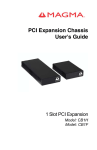
To use the PCI-1 Hardware Interface on an Intel-based Macintosh computer (and most G5
systems) you will need a PCI expansion system available from Magma Systems
(http://www.magma.com/products/pci/). Their CB1H Half Length 1 Slot PCI Expansion System is fully
compatible with the PCI-1 interface card. The PCI Expansion System connects with your Macintosh
using a host card appropriate for your computer model - either their SUBEC34 ExpressCard/34 (in
the case of a MacBook Pro) or their SUBPEHIFX1-CB PCI Express host card (in the case of a Mac
Pro desktop unit).
Page 4
Software Installation
SynclavierX is available via download:
http://www,synclavier.com/SynclavierX.html
Figure 1 - SynclavierX 5.2.3 Disk Image contents
The Synclavier Installer installs the kernel driver, the MIDI driver and AbleDiskTool.
A restart will be required.
Drag the Synclavier Digital SynclavierX folder to your desktop, applications
folder or any other convenient place. Due to limitations of the Real Time Software you cannot
run SynclavierX directly from the installer image directly.
The Synclavier Remover is provided should you wish to remove the PCI-1
kernel driver, the SynclavierX MIDI Driver and AbleDiskTool from your system.
If you wish to use the SynclavierX Core MIDI driver but do not have the PCI-1
Hardware interface installed, you will need to install the Virtual PCI-1 kernel driver. See
The ReadMe file located within the Virtual MIDI Users folder for more information.
Page 5
Synclavier Digital SynclavierX folder:
Figure 2 - SynclavierX Folder contents
Documentation on the Synclavier Digital Audio System can be found at:
http://www.synclavier.com/SynclavierX.html
(follow the links at the bottom of the page)
Page 6
Software Installation Notes
• Default W0: Disk Image File - SynclavierX uses a 30 megabyte Disk Image File located in
the SynclavierX folder as W0:. This disk image file will contain the latest Synclavier®
Software. You may use InterChangeX to copy the system software from this disk image
file to a real SCSI hard drive if you wish. That is, the Synclavier® system software
shipped with SynclavierX is fully compatible with the original Synclavier® processor and
will run on the original hardware if desired.
• New Disk Image File - You will likely wish to create a new, larger disk image file for use as
W0:. Create a new disk image using InterChangeX and then copy all the files ( -A) from
W0: to your new disk image. Then assign the new disk image file to W0:. Disk image files
up to 8 GB in size are supported in SynclavierX and InterChangeX. Limit your file size to
2 GB (2048 MB) if you wish to interoperate with Mac OS 9. See the InterChangeX
documentation for more information.
• Compatibility – The Macintosh software components for SynclavierX 5.2.3 will not interoperate with the software components from earlier SynclavierX releases. Once you run
the Synclavier Installer from 5.2.3, earlier releases of SynclavierX will not be able to
communicate with your Synclavier® hardware. Should you need to revert to an earlier
release of SynclavierX, run the Synclavier Remover from Release 5.2.3 and then reinstall the earlier software release.
Page 7
License Code
SynclavierX requires the purchase of a license code. Follow the on-screen instructions to
purchase a license code directly from our on-line store. Activation is immediate.
Page 8
Hardware Installation
The hardware components for SynclavierX include
• PCI-1 - The PCI-1 interface card can plug into any PCI slot of your Power Macintosh
computer. Be sure to turn off your Macintosh and observe careful anti-static precautions
when inserting the card. You will typically have to hold the card in place as you connect
the 50-conductor cable to the PCI-1 card, so you should connect the cable to the card
before closing up your Macintosh.
• Twisted-Pair multi-conductor cable - The cable
constructed with 25 high-speed twisted pair
Cable lengths of up to several hundred feet are
possible. Our tests at the factory are conducted
cables, although a 25-foot (or shorter) cable
somewhat faster operation.
is specially
conductors.
theoretically
with 50-foot
will provide
• D0-PCI - The D0-PCI interface card can plug into any slot in
your Synclavier® computer interface bin. A short flat cable
adapts the flat-cable-connector on the D0-PCI card to the
shielded connector at the end of the twisted-pair cable.
Hardware Installation Notes
• Diagnostic Software - Some Macintosh diagnostic Software is
installed in the Synclavier® folder in a folder called 'PCI-1 Test
Software'. This software is extremely important and verifies
the data integrity of your system and cable. Please refer to
the documentation on the PCI-1 Test Program later in this
manual.
Page 9
Warning - Always
power
down
your
Macintosh
before
installing or removing
the
PCI-1
card.
Additionally,
power
down
your
Synclavier®
before
installing or removing
the D0-PCI card. I
strongly recommend
that both machines
should be powered
down whenever you
plug or unplug either
end of the twisted-pair
cable.
Launching SynclavierX
Launch SynclavierX by double-clicking its icon.
SynclavierX includes an 'intelligent' Quit menu item. If you are running an application such as
FORMCOPY, selecting Quit will return you to the MONITOR (the Quit menu item will read 'Quit
FORMCOPY' in this case). If you are running the Real Time Software, selecting Quit will first return
you to the main menu, and a second Quit will return you to the MONITOR. This operation of the Quit
menu is similar to the <BREAK> or <CRTL-SPACE> key operation in earlier versions of the
Synclavier® Real Time Software.
Quitting SynclavierX will cause your original Synclavier® software to reboot, provided the
Winchester Bootload Diskette is installed in the floppy drive.
Note: Do not power down your Synclavier® tower while
SynclavierX is running on your Macintosh. The Macintosh will invariably
perform a hard crash in this case, and can only be restarted by
removing and then reconnecting the AC power to your Macintosh.
If you experience trouble launching SynclavierX, it is likely that
you have selected a W0: using the setup portion of InterChangeX, and
the selected W0: contains incompatible system software. When in
doubt, delete your 'InterChangeX Prefs' from the Preferences Folder
(within your user Library folder) and try again. You do not need to
restart your Macintosh when you change or delete your 'InterChangeX
Prefs' file.
Page 10
Note:
Launching
SynclavierX causes the
Macintosh to 'take over'
your Synclavier®.
If
you were in the middle
of working with your
Synclavier® using the
conventional software,
that work will be lost
when
you
launch
SynclavierX!
Setting the Cable Length and Bus Loading Settings
Figure 3
The "Settings..." selection from the Edit Menu activates the dialog shown in figure 3.
Why set the Cable Length and Bus Loading?
The interface cards in the Synclavier® computer bin are
interconnected using an asynchronous data bus. When two
cards are exchanging data over this bus, a special signal
called the SYNC signal is sent by the receiving card to the
sending card at the end of each bus transaction.
The PowerPC processor in your Macintosh can respond
extremely quickly to SYNC. This may cause the PCI-1
interface card to latch the received data before it has
thoroughly settled on the bus and the interconnecting cable.
The Cable Length and Bus Loading dialog shown in Figure 3
provides you with the ability to use slower timing signals for
Page 11
Many different configurations of
Synclavier® Systems are in use
today.
They
were
manufactured over an extended
period of time using different
revisions of the processor and
interface cards.
For this
reason, I can't just use one Bus
Loading setting in the software.
As we gain experience with
PCI-1 installations, I hope to
offer more specific guidelines in
the future.
large, heavily loaded systems, or faster timing signals with short cables or a small, lightly loaded
system.
Using the Test Software to determine Bus Loading
Unfortunately, determining the most appropriate setting for Cable Length and Bus Loading
involves some guesswork and experimentation. If you are in a hurry, set the Cable Length for a long
value (such as 100 ft/30 m) and the Bus Loading to High. This will direct the PCI-1 card to use slower
timing signals, which should work with all configurations, albeit with a modest reduction in data rate.
If you wish to optimize your installation for faster data transfers, you can use the "PCI-1 Test
Program" to perform a series of data verification tests using different timing signals.
Launch the "PCI-1 Test Prog" application by double clicking on it. You will see a window
similar to Figure 4.
Page 12
Understanding the Test Program output
The PCI-1 Test Program begins by making sure your Macintosh even has a PCI bus, and then
looks for a PCI-1 Interface Card installed in it. The software performs numerous error and
consistency checks; any errors or unusual conditions will be reported in the "Output" window.
The test program continually transfers megabyte-after-megabyte of data between your
Macintosh and your Synclavier® hardware. Every 5 seconds the software updates the status line at
the bottom of the Output window to show how long the test has been running, how many megabytes
have been transferred, and how many data errors have occurred. The test will run continuously until
stopped by command-period or the "Halt Testing" menu selection under the File menu. You can Quit
the test program with command-Q.
There is a "Settings..." menu entry on the Edit menu that brings up the same Cable Length and
Bus Loading dialog that is available in SynclavierX. You can change the Cable Length and Bus
Loading at any time; the changes become effective as soon as the Settings Entry dialog is closed.
The test program prints out the rate of data movement that is achieved between your
Macintosh and your Synclavier® interface cards, as well as the data rate that is achieved between
Page 13
your Macintosh and the Poly Sampling memory. You will see these data rates become slower as the
Cable Length setting is increased, and as the Bus Loading setting is increased.
If you set the Cable Length to 20 ft (6 m) and the Bus Loading to Low, you may or may not see
errors with your system. If you see any errors at all, you must increase the Cable Length and/or Bus
Loading setting until the test runs continuously without errors.
On Mac OS X terminate the test program by typing control-C.
Page 14
Using SynclavierX
SynclavierX is an operating environment that reproduces a complete Synclavier® as
accurately as possible. The few software features of the original Synclavier® that are not available in
SynclavierX at this time are:
- The built-in non-synced "Smpte Generator" function
- Full access to the 5 1/4" SuperFloppy
Of course, those software features listed are still active in the software when the system is
running on the original "Model D" processor.
Accessing the 5 1/4" SuperFloppy drive
Due to numerous technical problems,
SynclavierX cannot reliably access the
original 5 1/4" SuperFloppy drive. These problems derive from the inability for Macintosh applications
to disable interrupts on the host PowerPC or Intel processor.
The SuperFloppy drive is listed in the device configuration
and is available for reading to a limited extent. Any attempt to
write to a floppy will fail and report a 'write protect' error.
Accessing the SuperFloppy from SynclavierX will be
approximately 5 to 10 times slower than accessing the
SuperFloppy from the original "Model D" processor due to
numerous retries that must be performed. Frequently, it will take
so long to access a SuperFloppy that you will think your
Macintosh has crashed.
If you intend to use your 5 1/4"
SuperFloppy
drive
with
SynclavierX, please read this
section carefully.
I strongly
recommend you migrate your
entire floppy collection to a
Macintosh hard drive at this
time.
Access
to
the
SuperFloppy drive may prove to
be so
unreliable that I
discontinue it in the next
release. In any case SAVE ALL
YOUR WORK and be prepared
for your Macintosh to crash
whenever you access your
SuperFloppy
drive
from
SynclavierX!
Performing a simple CAT of the floppy contents (either
from the Monitor or Sequence Recall screen) is perhaps the most
straightforward and reliable operation and will generally work.
Accessing small sequence or patch files (e.g. up to several
hundred sectors long) located on a nearly empty floppy also may
work to a limited extent, albeit very slowly. Accessing large files
on a floppy, or accessing any file on the inner most region of the
disk, will likely hang your Macintosh for long enough that you will choose to restart it.
Of course, you can reboot your Synclavier® using the
original "Model D" processor at any time simply by Quitting the
SynclavierX application and using an original Winchester
Bootload diskette. The floppy drive can then be accessed by the
Model D processor as before.
The SuperFloppy drive seems
to work somewhat better on
multi-processor
Macintoshes.
Painful, not utterly painful...
Perhaps now is a good time to migrate your entire
SuperFloppy collection to a Synclavier® hard drive or to a Macintosh hard drive or network. There
are several ways you could approach this situation:
-
You could copy the contents of each floppy to a subcatalog on a Synclavier® SCSI hard drive
You could copy the contents of each floppy to a subcatalog stored in a Disk Image File located
on your Macintosh
Page 15
or -
You could import your entire floppy collection to a series of Macintosh Files and Folders using
InterChangeX
Using InterChangeX to import your floppy collection to Macintosh files and folders will allow
you to use the Macintosh "Find" capability to quickly locate a particular Floppy or any file thereon by
name. Additionally, importing your floppy collection in this way will reduce the actual storage taken
up your collection to the smallest amount possible. Further savings in storage space could also be
achieved by using an archive utility such as StuffIt, although by doing so you will lose the Macintosh
"Find" capability.
Of course, this current version of SynclavierX can only access Macintosh files that are in the
Disk Image format; it cannot access individual Patch, Sequence, Sound or Data files stored in the
Macintosh format. This means you will generally have to use InterChangeX to re-export the
Macintosh-resident copy of a floppy to a Synclavier® hard drive or a Disk Image File before actually
using a file from that floppy.
All things considered, here is perhaps the best method to migrate your SuperFloppy library to
your Macintosh:
-
-
Boot your Synclavier® from it's Model D processor
Create a subcatalog 2400 sectors long for each floppy you wish to archive. You could use
either W0 or W1 for these subcatalogs. To simplify importing these subcatalogs into your
Macintosh, you may wish to first create a very large super-subcatalog that will hold up to 128
of these floppy subcatalogs. 1.2 megabytes of hard drive storage will be required for each
floppy subcatalog.
Use FORMCOPY to copy each floppy into its subcatalog
Use AbleDiskTool to import either the entire device, the entire super-subcatalog, or each
floppy subcatalog to your local Macintosh hard drive or network.
Please refer to the AbleDIskTool User Manual (AbleDiskTool.pdf) for more information on
importing Synclavier® files to your Macintosh.
Page 16
Metronome Calibration
Different models of Apple Macintosh computers use very different internal methods to provide
precise timing information to SynclavierX. With certain model Macintoshes using certain Macintosh
Operating Systems the timing information that SynclavierX uses to create the Click Track Output is
inaccurate.
The Calibrate Metronome button in the Settings... window provides a mechanism to accurately
measure the Macintosh's processor clock against its time-of-day clock. Metronome calibration takes
30 seconds and produces extremely accurate results. The results of the measurement are written to
the 'SynclavierX Prefs' file.
You should perform a metronome calibration any time you change computers. SynclavierX will
automatically ask for a new calibration during startup whenever the 'SynclavierX Prefs' file is deleted.
Creating M512k Memory
Classic Synclavier® systems used circuit cards called 'M512k Memory' to store recorded
sequence information. The amount of this memory available to a classic Synclavier® was determined
by the number of M512k cards in the system.
SynclavierX allocates Macintosh memory that is then used to simulate M512k card memory. A
menu option in the Settings... window lets you control the amount of Macintosh memory that is
allocated for this purpose.
The following table identifies the number of sequencer notes that are available for each setting.
M512k Cards
3 M512k Cards
4 M512k Cards
5 M512k Cards
10 M512k Cards
Notes Available
175,194 Notes
409,098 Notes
661,002 Notes
1,920,522 Notes
Page 17