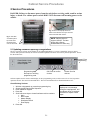
1
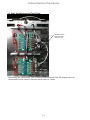
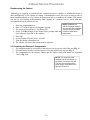
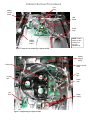
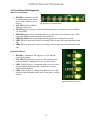
Cabinet Service Procedures 2.2 Placing the cabinet in Service Mode The cabinet can be put in service mode, a diagnostic settings which allows the heater plates to be controlled individually, brightness settings on the displays adjusted and re-addressing for unique arrangements of bezels. Follow the steps below : Switching Heater Plates Off Individually When troubleshooting, it may be useful to switch heater plates off individually. Follow the instructions below: 1. 2. 3. 4. Press the programming key. Enter 1111 at the Enter Access Sequence prompt. The screen will scroll Row 1 Top Heater Off; pressing OK turns it back on. Voltage can be measured between the plate-specific heater leads on the distribution board and the common block to the right of the distribution board as the heater plates are switched, individually, on and off. 5. Scroll to other plates with . 6. Ensure the plates are on before backing out of the Service Mode with the . Adjusting Display Brightness When multiple row positions are timing the same item, the display with the least remaining time is the brightest. All others are dimmer as are positions not actively timing a product. The relative brightness of the bright display and the dim display can be adjusted. Follow the instructions below: 1. 2. 3. 4. 5. Press the programming key. Enter 1111 at the Enter Access Sequence prompt. Press OK. The screen will scroll Row 1 Top Heater Off. Scroll with through all the Heater Plate prompts until the screen displays Press OK to Adjust Bright Row Display. 6. Press OK. 7. The cabinet’s row displays become Decrease Increase 88888 20 8. Press the timer button next to the Decrease display to lessen the brightness; the number displayed at the right will decrease. Press the timer button next to the Increase display to increase the brightness; 20 is the maximum. 9. Press OK. The display becomes Adjust Dim Intensity. The cabinet’s row displays become Decrease Increase 88888 03 10. Press the timer button next to the Decrease display to lessen the brightness; the number displayed at the right will decrease. Press the timer button next to the Increase display to increase the brightness; 1 is the minimum. 11. Press OK. 12. Cabinet returns to menu display. 2-4