1
ANSWERING SYSTEM OPERATION
AT THE BASE
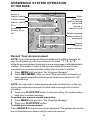
Audible Indicators
This system gives you voice prompts for feature operations and voice
confirmations when you press a button or complete an operation.
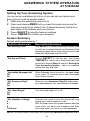
About Mailboxes
This answering system has three voice mailboxes. Callers using a touch
tone phone can select the mailbox in which their messages will be
recorded by pressing * 1 ,* 2 , or * 3 while the system plays the
outgoing announcement. All other messages will be recorded in Mailbox 1.
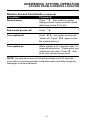
About Announcements
•
•
•
•
•
You can record up to two different announcements — one for normal
answering and one for when you’ve set the system to play the
announcement only.
Use normal answering when you want the system to record callers’
messages. Use Announce Only when you want to give information to
callers without accepting messages.
If you choose not to record an announcement, the system answers with
a pre-recorded announcement.
The normal answering pre-recorded announcement says: “Hello. I’m
unable to answer your call right now. Please leave your name, number
and a message after the tone.” The Announce Only pre-recorded
announcement says: “Hello, I’m unable to answer your call right now.
Please call again. Thank you.”
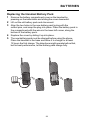
By setting Announce Only to ON or OFF, you decide which
announcement your callers will hear when the system answers a call (the
system comes set for normal answering , with Announce Only turned off).
See “Set Announce Only” , located in the Feature Summary chart later in
this section, to change your announcement selection.
NOTE: When the system is set to Announce Only, the announcement
is played twice for the caller.
21