1
Software User Manual
PC-Software for MySign® Monitors
4.6.3
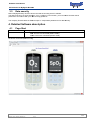
Help menu
Item
Help topics
Device software
update
Description
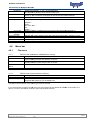
Opens the help document.
document
The data for device updates
updates will be made available directly from EnviteC or can
otherwise be downloaded from the EnviteC website.
The update starts automatically as soon as the update file has been selected.
Never disconnect the USB cable during the update process!
After the update
update has been successfully completed, the connection to the device is
terminated.
In order to establish a new connection, the device must be restarted.
In some cases, the USB cable may need to be briefly disconnected (the USB plug
removed) in order to establish
establ
a connection.
About Software
MySign®
If an update fails, please contact your dealer or the EnviteC Support team.
Opens a window with information on the program version.
5. Contact
EnviteC-Wismar GmbH
Alter Holzhafen 18
23966 Wismar
Germany
Phone: 0049 (0) 3841-360-1
Fax: 0049 (0) 3841-360-222
Email: [email protected]
Web: www.envitec.com
6. Ordering Information
Item
Software MySign®
Data cable (Mini-USB type B)
Part number
1002080
1001815
12 /12
Template: 700-21-Sotware_SRS.dot, Rev. 1, valid from 2011-03-18
2011