1
Software User Manual
PC-Software for MySign® Monitors
1. Document history
Revision
0
Effective
date
2013-06-21
Description
Initial version
Responsible
JS3
2. General
2.1
Software Description and Intended Use
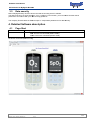
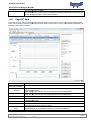
The MySign® PC software is intended for reading,
reading, documenting and managing the data stored in the MySign®
monitor as well as for personalising and configuring the MySign® monitor by connecting it to the PC via a USB
connection. The PC software is not intended for diagnosis and analysis purposes. No measuring is possible
while the MySign® monitor is connected to a PC. No fundamentally essential or safety-relevant
safety
functions of the
MySign® monitor can be changed in the MySign® monitor configuration.
2.2
Connection to PC
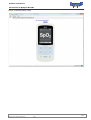
The MySign® monitor Oxygen Measuring Device may be connected to a PC with MySign® monitor PC
software. Please refer to the MySign® monitor Operating Manual for information on how to connect the
MySign® monitor Oxygen Measuring Device to a computer via the device USB port and USB cable.
The connection is initiated as follows:
• Start PC-Software
• Connect PC and MySign® monitor using USB cable
• Switch on monitor
• Confirm prompt on the monitor’s display by pressing "OK"
If the prompt “Connect to PC?” does not appear on the display of the device (monitor), then restart the device or
disconnect the USB plug for at least 3 seconds before reconnecting the cable. In certain situations (e.g. alarm
messages, an open menu etc.), it is not possible to establish a connection to the PC for technical reasons.
reasons
Return the device to standard measuring mode, and select the “Start” tab in the PC-Software,
PC Software, or follow the
instructions provided above.
Once a connection has been established to the PC-Software,
PC Software, the current measurement will be interrupted! No
measurementt is possible when the device is connected to the PC.
Once a connection has been established to the PC-Software,
PC Software, the current measurement will be interrupted! No
measurement is possible when the device is connected to the PC.
The first time the device is connected to the PC, the device drivers for communication with the PC-Software
PC
and
for the device’s firmware update will be installed automatically via the Windows Update service. If the automatic
installation is unsuccessful, the drivers can be found on the
the CD (under "Driver") and must be installed manually
ma
via the device manager.
2 /12
Template: 700-21-Sotware_SRS.dot, Rev. 1, valid from 2011-03-18
2011