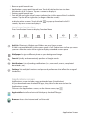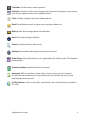
1
Operating Instructions
Quick start
Turning On
Plug the unit into the electricity or insert a fully charged battery. The Display
will automatically load its content and play. (To go to the Home screen and exit
the movie being played, press the Search button or Home button. Please note,
pressing the Home button will require a password to be inserted).
Turn the device on
Press and hold the power button for 3 seconds until the loading logo appears.
The unit will play the content stored within its internal memory or on the Micro SD
Card (if applicable). This can take up to 30 seconds to load.
Password
The content being played on your unit cannot be tempered with, changed,
deleted from the unit without inserting an authorized password. The default
password for this product is “iicore”.
When inserting the code to go to home screen you will have the option to
change it.
Settings
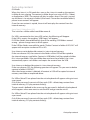
To enter the Settings Press the “search” button --> press
--> Settings.
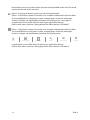
You can use this icon at anytime to go back to a previous screen or to enter the
home page.
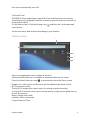
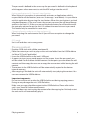
To set the wireless network go to settings (from home page press
--> from
application screen press
).Touch ”wireless & networks” --> touch “Wi-Fi settings”
--> choose the network that you wish to connect to and insert the network key
--> touch connect.
Note: Once the unit is connected to the network you disconnect it by touching
the “Wi-Fi” in the “wireless & network settings”.
To set the sound, double click on sound settings.
Within the sound settings page you can select silent mode and adjust the volume.
To set the Display setting, double click ‘Display’.
Double clicking the brightness allows you to adjust the brightness of the screen.
Within the Display settings you can also choose to auto rotate the screen, select
which animation will display on the screen (if any) and to adjust the delay before
4
Quick Start / Password / Settings