1
9.2.2
Installing OptiLink .......................................................................................................................................... 32
9.3
A QUICK TOUR OF OPTILINK .................................................................................................................................... 33
9.3.1
Working with the Configuration Window ....................................................................................................... 34
9.4
ACQUIRING AND VIEWING TEMPERATURE DATA ..................................................................................................... 35
9.4.1
Logging temperature data to a file ................................................................................................................. 35
9.4.2
Viewing temperature data............................................................................................................................... 38
9.5
THE OPTILINK CONSOLE ......................................................................................................................................... 40
9.5.1
Console help menu .......................................................................................................................................... 41
9.5.2
Switching between calibration types............................................................................................................... 41
9.6
OPTILINK FUNCTIONS .............................................................................................................................................. 42
9.6.1
The File menu ................................................................................................................................................. 42
9.6.2
The Window menu........................................................................................................................................... 43
9.6.3
The Help Menu................................................................................................................................................ 43
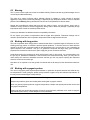
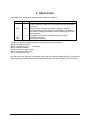
Warning
Permanent damage may be done to the thermometer if the power supply connections are not done correctly.
Only use the supplied 6 VDC power supply module to operate the Nomad; please note that this module will
not charge any internal batteries.
This product does not contain any user-serviceable parts. Opening this precision instrument will void its
warranty and disturb its factory calibration. Always seek servicing from an authorized Neoptix service depot.
To assure cleanliness of optical connectors, keep caps on unused connectors at all time. This is also required
during operation, as parasitic light entering into the Nomad may cause false temperature readings.
Fiber optic probes and extension cables are fragile, and will break if the bending radius becomes less than
~1 cm, even temporarily. Probe breakages are not covered under the standard Neoptix warranty. Do not
bend the last 1 cm of the probes!
The Neoptix Nomad products are CE marking certified.
This device complies with Part 15 of the FCC Rules. Operation is subject to the following two conditions: (1)
this device may not cause harmful interference, and (2) this device must accept any interference received,
including interference that may cause undesired operation.
Document no. G1006r08
Copyright Neoptix Canada LP
3