1
iCharger Synchronous Balance Charger/Discharger
4010DUO
● Program Add & Manage
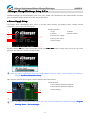
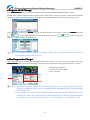
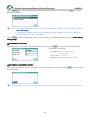
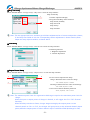
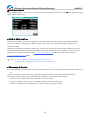
Click STOP/STARTSTOP/START-xx button on the initial interface to pop up the BATTERY MEMORY SELECT window.
4010DUO has 6 built-in programs before it enters to the market (shown in following picture), which cannot be deleted
and limit for editing. The built-in program with underline is distinguished from the customized program by users.
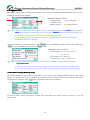
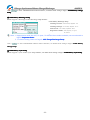
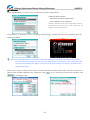
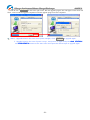
Click "
" (or long press KNOB) to pop up the MANAGE after exiting focus via pressing TAB/SYS, and click
"
" to enter MEMORY SETUP to edit the program, and click "
" to add new program
and enter its editing interface at the same time.
Note: If the program selected is a built-in program, "Copy From…" and "Delete" options are shown in
inactive status, and unable to be set.
● Run Program for Charger
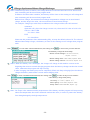
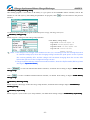
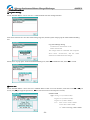
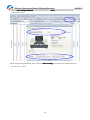
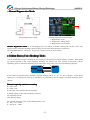
After selecting program on BATTERY MEMORY SELECTION, click to enter Run Program interface (long press
STOP/STARTSTOP/START-xx button on the initial interface to enter Run Program of the last running program directly), as below:
1: Run Program Selection
2: Common Parameters Setup
3. Auto- save Hint
2
1
3
Note:1. The built-in program is saved by default automatically to the running program, while the
program customized by users can set in MEMORY SETUP→MEMORY OPTION→Auto save before
the program runs.
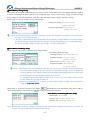
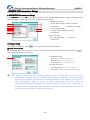
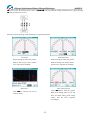
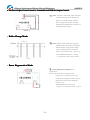
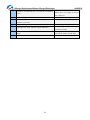
2. After setting the "capacity", the C-rate will appear behind the current, and when the C-rate
exceeds the certain value, the system will alarm beeps and warn (shown in following picture).
The specific value of battery is:LiXX battery :> 3C, NiXX battery :> 2C, Pb battery :> 0.3C
-9-