1
NOTE: Be sure that the PIN of the SIM card is disabled before you insert it . (You can
disable the PIN of a SIM card via your mobile phone.)
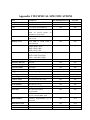
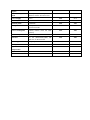
3.4) MMS Menu Definition
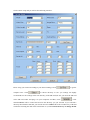
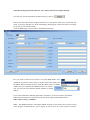
Slide Power switch into “Test” Mode, Select “MMS Setup” and Press “OK” Button to enter
into MMS Set up Menu. The following is a quick introduction about how to setup mms
function.
Note: (All MMS parameters should be configured by PC software).
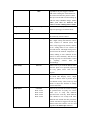
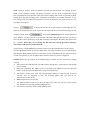
MMS Status
OFF, VGA,QVGA,SMS
The default setting is Off,
which turns the MMS function
off. To turn it on, choose either
VGA=640x480
or
QVGA=320x240, SMS=Short
Message, which defines the
resolution size of the MMS
picture. (Please Note: Please
turn on MMS Status when you
would like to use MMS
function, Otherwise the camera
will not recognize the SIM
Card and Sginal Icon will not
be shown on Screen )
MMS Number
0-99
(Note: ‘0” is unlimited)
just working in ON mode,
which means the camera will
send a MMS instantly when it
captures a photo or a video
clip. While, for the economy
consideration, there is a
limitation on the MMS
quantity per day. You can set
the MAX number from 0 to 99.
(Note: ‘0” is unlimited)
ON/OFF
(0-24Hour)Programmable
Daily Report, just working in
ON mode, which means that
the camera will report the
camera working status in preset
time
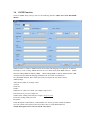
Daily Report
URL
URL of the network operator
APN
APN of the network operator
Gateway
Gateway
operator
PORT
Port of the network operator
of
the
network