1
5
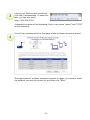
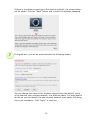
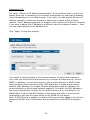
If your wireless network is secured by an encryption key, you will be
presented with the screen below. Enter the password (passphrase) for your
wireless network here.
Note: You need to type in the same password that you need in order to connect
any computer, tablet PC or smartphone to your wireless network. If the
password entered does not match, the iStream HD Wireless Range Extender
will not be able to connect. Remember that the password is case-sensitive, so
“Password” is not the same as “password.”
6
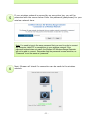
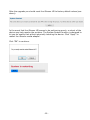
Next, iStream will check if a connection can be made to the wireless
network.
- 11 -