1
Revision 2
3.11.3
PTS User’s Guide
Enter Profile
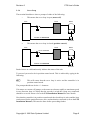
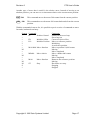
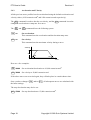
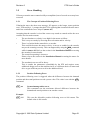
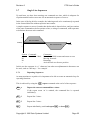
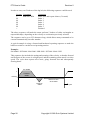
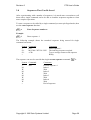
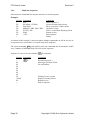
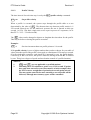
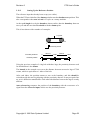
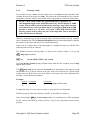
Once the velocity values have been calculated for the shape required, they can be
entered using the enter profile EP command.
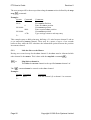
EP n
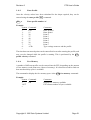
Example:
System
>
1:
2:
3:
4:
5:
6:
7:
8:
>
Enter profile number ‘n’.
Command
EP 1
15
28
37
40
37
28
15
<CR>
Comments
Enter profile 1
Enter point 1
Point 2
Point 3
Point 4
Point 5
Point 6
Point 7
Type carriage return to end the profile
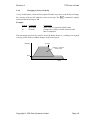
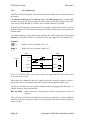
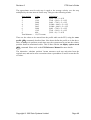
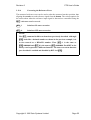
The time between entered points can be entered before or after entering the profile, and
may even be changed while the profile is running. This is performed by the PV
profile velocity command.
3.11.4
Free Memory
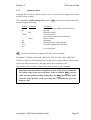
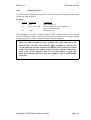
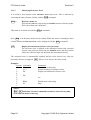
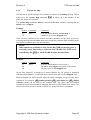
A number of different profiles can be entered into the PTS, depending on the amount
of free memory (each point uses 4 bytes of memory). It is therefore useful to find out
how much memory space is available.
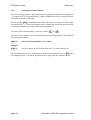
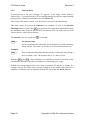
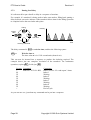
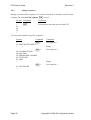
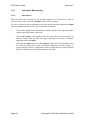
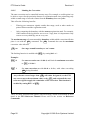
The command to display the free memory space is the FM free memory command.
Example:
System Command
>
FM
13677
>
Comments
Display free memory available
PTS returns number of bytes available
Copyright © 1995 Quin Systems Limited
Page 51