1
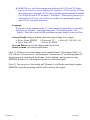
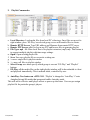
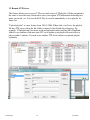
d. iCAT: This is a web based management software like CAT, but iCAT allows
user to use browser to access from any PC, anywhere. iCAT is not like CAT has
more interactive commands. iCAT is more schedule-oriented automatic method.
Get 10 digit ID from iCAT program’s “Add player”. When player powers up, it
will login to iCAT server, user will see its on-line. For more detailed, please
refer to iCAT user guide document.
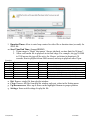
Language:
If revision # on the main menu has ‘U’ which means European fonts are installed.
Selections are ‘English’, ‘East-South European’, ‘Western European’, and
‘Turkish’. This font is used for RSS and instant message display on the scroll bar.
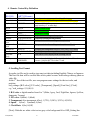
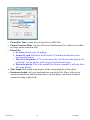
Factory Default: load pre-defined values into Setup settings. For example;
a. Device Name: NDSP01
b. Password: 123
c. Server IP: 192.168.1.106
d. Server Port: 5021
e. Device IP: DHCP
Save and Reboot: save all the changes and reboot client
Return to menu: just return to main menu
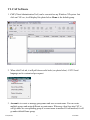
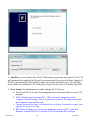
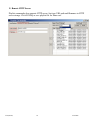
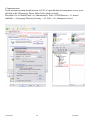
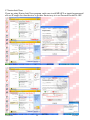
[Note-1]: All these client setup settings can be modified in the “Client Setup Utility” of
CAT software. You can save as “autoconfig.mia” filename into CF card then plug into CF
slot and power up client board. It will show “Auto Updating” message and save into
EEPROM. Remove CF card and delete this file to avoid reload again.
[Note-2]: You can save as “autoconfig.mib” filename, it will do the same thing to update
EEPROM except this autocinfig.mib file will be deleted after update.
V3.0(06198)
7
9/16/2008