1
Control System Operation
6. Be sure all personnel are clear of the rotating equipment.
7. Clear and remove any lock out tags on the disconnect switch, remove any
locks and turn the disconnect switch to the On position.
8. Rotate the Hand-Off-Auto selector switch to the Hand position.
9. Depress the start push button until you hear the contactor engage, then
release the button.
10.Check to be sure the fan rotation is correct.
11.Rotate the Hand-Off-Auto selector switch to the Off position to stop
the fan.
Two Speed Manual Operation
1. Check all mechanical equipment in the driven system to be sure it is free
of obstructions and safe to operate.
2. Check all electrical equipment for proper connections to be sure it is in
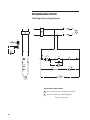
good operating condition. Note—a jumper or a normally closed device
must be installed between points 6 and 7 on the terminal block
or the system will not operate.
3. Close and latch the control panel door.
4. Press both reset buttons on the outside door to reset all overloads to the
operating condition.
5. Turn the Hand-Off-Auto selector switch to the Off position.
6. Be sure all personnel are clear of the rotating equipment.
7. Clear and remove any lock out tags on the disconnect switch, remove any
locks and turn the disconnect switch to the on position.
8. Select the desired speed on the High-Low selector switch.
9. Rotate the Hand-Off-Auto selector switch to the Hand position. The fan
will start at the selected speed.
10.Change the motor speed by changing the position of the High-Low selector
switch. Verify the time delay is at least 30 seconds when switching from
High to Low speed.
15