1
C E N T A U R U S
P R I M E
Chapter
1
Gateway Installation Basic
Information
Summary
T
his section will help to give a basic overview and quick summary of the procedures needed
to install the Trane-485 Gateway Panel. Detailed instructions are also provided later in
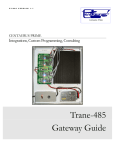
this guide. The Centaurus Prime Trane-485 Gateway allows any front-end system
(Modbus Master or BACnet/IP) that communicates using the either industry-standard Modbus
or BACnet protocols to communicate to Trane VAV, Voyager (Reliatel), IntelliPak and Terminal
Unit Controler (TUC) field equipment. The Trane field devices will appear to the front-end
system as a series of Modbus SLAVE devices or BACnet Devices. Real time point data from the
Trane VAV/Voyager/IntelliPak/TUC controllers is then mapped to equivalent registers, coils,
and bits on the Modbus system, or as AI, BI, AO, and BO objects on the BACnet system. All
operations are transparent to the user and the host
computer.
I C O N K E Y
Valuable information
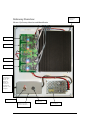
Connections to the Trane-485 Gateway are simple
and clearly marked. They consist of:
•
Power Supply, 120 Volts AC (optionally, 220 or 240 Volts AC)
•
Trane-485 VAV Device trunks (up to four)
•
Modbus-RTU Network, (RS-485 or IP), or BACnet/IP Network
•
Local Mode Port for commissioning via Laptop Computer
All Hardware necessary to connect the Gateway to the Trane-485 devices is included in the 16” X
14” X 8” plastic cabinet that is easily mounted in a convenient location.
The BACnet/IP network is a 10-Mbaud Ethernet, only. The
Modbus RTU Network connects to the Trane-485 Gateway via
either (a) a 10-Mbaud Ethernet, (b) an RS-422 serial link (a fourwire, full-duplex connection), an RS-485 serial link (a two-wire,
half-duplex connection), or an (c) RS-232 serial link (a threewire, full-duplex connection). The RS485 or RS422 connections
1