1
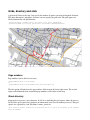
The program will in any case print information on how big the map will be and on what paper size it will fit. basedpi basedpi is the dpi on which the sizes in the rules file are given. So if you i.e. want to use a base resolution of 72dpi you could set this by specifying basedpi=72. You should then also specify scaledpi=72. -basedpi=INTEGER (rule size resolution; DEFAULT = 300 dpi) Understanding rules and dpi First of all: The next paragraphs apply to PNG or other pixel related (unscaled) graphic formats like JPG or BMP. When using PDF or SVG you don't have to care about this too much. Because there is always a bit confusion about sizes of objects and the according rules I want to give some hints. The rules provided in SVN are for a resolution of 300dpi. So the resulting files should be suitable for printing. In the file there are ways that have a thickness of let's say 40px. What does that mean? It means that when printing with 300dpi the way will be displayed using 40 pixels, which is roughly 3mm. If you look at this same map on a screen you will have much larger ways because the resolution of the screen is much lower (90120dpi). What to do? Very simple. To create a map for the screen using the same style file just specify scaledpi=117 (i.e. for my netbook). Everything will be scaled now. Of course you can't send this to the printer now because everything would be too small. If you use the 300dpi rule file and you want to print with a higher resolution, just specify scaleset=600 or 1200. What to do if you want to specify your rule file for another resolution than 300? Just as easy but don't forget: You now have to use basedpi=75 (or whatever you chose) each time you call mapgen. Let's look at our 40px way from above. Assuming a base dpi of 75 this way would have to have a thickness of only 10px! Assuming a base dpi of 600 would mean to specify a thickness of 80px. Some Hints: • my netbook has a resolution of 117 dpi • my 18" monitor has a resolution of 90 dpi • for printing choose a scalable format or a dpi of 300 dpi or more. most laser printers today support 600 or even 1200 dpi