1
YSMART TECHNOLOGY CO.,LTD
website:www.ysmart-tech.com
Phone: 86-755-85232255
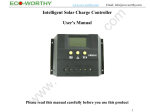
Intelligent Solar Charge Controller
User’s Manual
1
Catalogue
1. Product Introduction………………………………………...3
2. Installation……………………………………………………4
3. Operation……………………………………………………..5
4. Common Fault and Handling……………………………….10
5. Technical Data………………………………………………..11
2
1. Product Introduction
CM20D controller is a kind of intelligent, multi-purpose solar charge and discharge controller. Fixed
LCD display with a very friendly interface is used in this product; various control parameters can be flexibly
set, fully meet your various application requirements. CM20D series controller has following features:
●Vivid LCD graphic symbols
●Automatic Identification of System Voltage level
●Automatic Temperature Compensation (custom)
●Settable Operating mode of Load
●Battery Low Voltage Disconnection (LVD)
●Overcurrent protection.
●Simple button operation
●Intelligent PWM charging mode
●Adjustable charge-discharge control parameters
●Battery reverse-discharge protection
●Battery reverse connection protection
3
2. Installation
Install:
1
2
3
4
Ready tools and cables. Right cables are
recommended. Ensuring that the current density
< 4mm², which is conductive to reducing the line
voltage drop. Recommended: 20A with 6mm²
cables. Check weather the installation sites
compliance with the relevant safety requirements.
Please avoid using or installing the controller in
damp, dusty places or places with flammable,
explosive and corrosive gases. .
Install the controller into a fixed vertical plane. In
order to ensure good ventilation and heat
dissipation, please keep the instance over 10cm
around the inverter and also between the
backboard of the inverter and the wall.
To connect the controller and the battery by cables with right polarity. The battery indicator light on the controller will be on if
successfully connected, otherwise, to check and reconnect
To connect the solar panel and the controller by cables with right polarity. If there is sunshine, the battery indicator light will be on in a
circular manner to indicate right connection, otherwise, to check and reconnect.
4
5
To connect your load and the cables with right polarity and then connect with the load output port of the controller. Pay special attention
to + - polarity to avoid reversed connection, otherwise, your load may be damaged.
Demolition: In case of any accident, please disconnect the solar panel, battery and load with controller in order.
Note:Reversed battery polarity will not damage the controller, but you may bear security risks on your load equipments.
3. Operation
1
Description of LCD graphic symbol
P1: Digital parameters.
P2:Charging indication. This symbol indicates that the
P1
solar panel is charging the battery; without this symbol
means solar panel can not charge the battery because of low P2
voltage. If the symbol is flickering, means the battery is fully
charged and has entered float charging state.
P3
P3:Indication for solar panel. This symbol indicates that
P4
P8
P7
P6
P5
the connection of solar panel is detected by controller; without this symbol means the connection of solar panel can not be detected, or there is no
sunshine on the solar panel.
P4:5 bars battery power indication.
P5: Discharging indication. This symbol indicates that controller is in output state, otherwise not in the output state. The flickering of this symbol
indicates the damages of internal control devices.
5
P6: load indication. This
symbol indicates that controller is in output state, otherwise not in the output state. The flickering of this symbol
indicates overload or the damage of the load.
P7:A stands for the unit of current; H stands for hour.
P8:V stands for the unit of voltage.
2 Description of Button Function:
: Interface loop switch button, use the button to cycle between pages in each switch cycle sequence
shown in (figure 1). Moreover, this button can perform the function of “add” in the parameter setting
state.
: This button can open or shut off load in the main interface. It can perform the function of “minus” in
the parameter setting state.
overall unit state
floating charge voltage
options of battery types
load mode
recovery after undervoltage
undervoltage protection
图 1
6
3 Viewing and setting the parameters:
The controller will default entry “battery voltage” interface after correct power-on. This is the main
interface. Use the button
could in turn visit the following parameters interface. If the parameters in that
interface could be set, long press the button
(>5seconds,numbers start flashing)to enter the parameter
setting interface; calling off the parameter interface after long press the button
again. (The numbers stop
flashing)
3.1 Overall unit state
This interface shows the overall unit state (pictured at right)
It is the default interface after correct power-on, showing charging and
discharging state, 5 bars battery power indication and the voltage of the battery.
3.2 Opening and shutting off the load
You can use the
button on the faceplate to open or shut
off the load in the default interface.
Note:There is no such function for this button in other interface.
3.3 Viewing and setting the floating voltage.
As pictured at right, the floating charge voltage is showed. When the battery
7
reaches the floating voltage, the controller will maintain the voltage values by PWM
charging mode to avoid overcharge.
long press the button
(>5seconds,numbers start flashing)to finish
the setting of floating voltage values and use the
、
button to adjust the
parameter; calling off the parameter interface after long press the button
again.
(The numbers stop flashing) The floating voltage value will be conserved by controller.
3.4 Viewing and setting of recovery after undervoltage
As pictured at right, the recovered voltage is showed. After the controller
performs the function of under-voltage protection, the output of the load will be
recovered as soon as the battery voltage recovers to higher than the under-voltage
value.
long press the button
(>5seconds,numbers start flashing)to enter the
setting interface of recovery after undervoltage; long press the button
again
(The numbers stop flashing) to call off the parameter interface after finish setting.
Setting value will be conserved by controller.
3.5 Viewing and setting of under-voltage protection
As pictured at right, the value for under-voltage protection is showed. The
8
controller will cut off load circuit when batter voltage is lower than this value,
in order to avoid over discharge of the battery.
long press the button
(>5seconds,numbers start flashing)to enter the setting
interface of under-voltage protection and use the 、 button to adjust the
parameter; long press the button
again (The numbers stop flashing) to call off
the parameter interface after finish setting. Setting value will be conserved by controller.
3.6 Viewing and setting of load working mode
As shown in the figure at right, the interface of load mode is displayed, and different numbers represent
different load modes.
24h represents Normal Mode; the load is always in power under the fault-free circumstance.
1h~23h represents Light Control with Time Control Mode; at this mode, the
controller will start the load after darkness and will close the load after setting hours.
0h—represents Light Control Mode; Load will be on power after darkness,
turn off the load after drawn.
long press the button
(>5seconds,numbers start flashing)at this interface
to activate the setting interface of load working modes and use the 、 button to adjust the
parameter; long press the button
again (The numbers stop flashing) to call off
parameter interface after finish setting. Setting value will be conserved by controller.
3.12 Viewing and setting of battery types
9
As pictured at right, different numbers represent different types of Battery.
b00:Lithium battery (other controls parameters need to be adjusted to match the
battery)
b01:Sealed battery (default type for the controller)
b02: Vented battery
B03:Gel battery
long press the button
(>5seconds,numbers start flashing)at this interface to activate the battery
type and use the 、
button to adjust the parameter; long press the button
again (The numbers stop
flashing) to call off parameter interface after finish setting. Setting value will be conserved by controller.
10
4. Common Fault and Handling
Under-voltage protection and treatment:
Shows up and flash on the screen means the battery voltage is lower than the under-voltage
protection voltage. The controller has enter the under-voltage protection state and the output has been
stopped.
Solution: Using solar panel or battery charger to charge battery, when the battery voltage reaches the
recovery value, the load will be on power again and enter normal working state.
Overload protection and treatment:
Shows up and flash on the screen, it means the occurrence of over current or short circuit. The
controller will stop output and enter overload protection state.
Solution: After solving the problem of output short circuit and reducing the load, press the button to
restore power to the load.
Input over voltage and handling:
shows up and flash on the screen means the battery input voltage of the controller is higher than
rated input voltage, controller will stop output and enter overvoltage protection state.
Solution: 1. please choose battery with appropriate voltage grade to connect with controller; 2. other charger
for the battery to be removed.
5. Quality Assurance
1. Quality assurance should be carried out according to the following rules:
11
● the product is guaranteed of replacement, returning and repairing within 7 days after Sale.
● the product is guaranteed of replacement and repairing within 1 month after sale.
● the product is guaranteed of repairing within 12 months after sale.
2. If it is not possible to identify the using date of the controller, we would refer to the ex-work date,
and prescribe 18 months as the warranty period. We need to charge beyond the warranty period. The
controller can be repaired for life no matter when and where you use it.
3. If the controller is damaged by the following causes, we need to charge even if it is in the guarantee
period:
● have not operate according to the user's manual.
● use the controller under the condition which is beyond the using standard and technical requirements.
● Repair by yourself or reform by yourself.
● Any inappropriate environmental condition which can cause the breakdown and aging of the
apparatus.
● Improper carrying or storage.
● Regarding to the service of replacement, returning and repairing, you need to retreat the product to
our company, and we decide whether to replace or repair after we make clear who should be responsible.
1.
12
6. Technical data
Type
Parameters
Rated current
Rated voltage
10A24V
20A24V
≤50V
Floating charge
13.8V/27.6V
Boost voltage
Parameters
30A24V
12V/24V Automatic Identification
Voltage of solar
panel
Under-voltage
protection
Under-voltage
recovery
Type
CM20D
12.6V/25.2V
b01 sealed 14.4V/28.8V
Charge and
discharge voltage
drop
<0.2V|<0.1V
Charging mode
PWM mode
Temperature
compensation
Specification of
the cables
Working
temperature
Storage
temperature
10.7V/21.4V
(Dura
CM20D
Temperature
requested
-4mV/Cell/℃(to be customized)
≤5# AWG (6mm2)
-20℃~60℃
-30℃~70℃
≤90%,No condensation
13
b02 Gel14.2V/28.4V
b03Flooded 14.6V/29.2V
tion:
Dimension
88 mm×160 mm×37 mm
2hour
diameter of
mounting hole
64 mm×150 mm --Φ5
Weight
230g
s)
Open circuit
losses
≤13mA
Remark
You will not be notified if there is any change of this product.
14