1
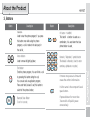
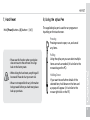
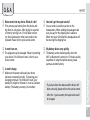
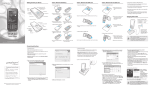
7. Hard Reset
Hold [Power] button + [4] button + [SNED]
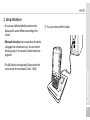
8. Using the stylus Pen
The supplied stylus pen is used to run programs or
inputting on the touch screen.
Pressing
Pressing means to open, run, and cancel
any items.
∙Please use this function when your device
does not react to the soft reset. It will go
back to the factory state.
∙When doing the hard reset, everything will
be erased. Please do it at your own risk.
∙We are not responsible for any information
being erased. Before you hard reset, please
back up your data.
Pulling
Using the stylus pen you can select multiple
items as much as needed. (it is similar to the
mouse drag on the PC)
Holding Down
If you want to see further details of the
selected item, hold down on the item and
a popup will appear. ( it is similar to the
mouse right click on the PC)
19