1
LCC 300
3
III - Configuration of the transmitter
Function : READ A CONFIGURATION
III 1 - Principle :
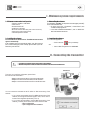
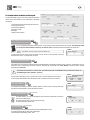
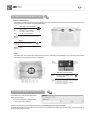
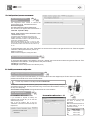
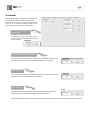
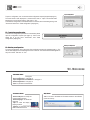
When opening the LCC-300 software,
two buttons appear on the screen :
Read configuration
Open configuration from database
l
l
Using the function “Read configuration”, you may access to the configuration of the transmitter. You can then read or modify the configuration of the
transmitter. A new configuration can be transferred to the transmitter and/or saved in a database (for a later use).
To access the configuration parameters, you can either :
- click on “Read configuration”
Or
- go in the menu “Commands” and then click on “Read configuration” (see. page 18).
Click on “next”.
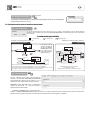
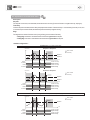
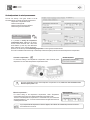
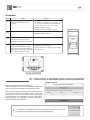
If the message shown beside is displayed, it means that there is a connexion
problem between the transmitter and the PC. Then you may :
l
Check that the transmitter is correctly powered
l
Check the connection of the RS 232 cable.
l
Check the communication port and, if required, select another port
(see page 18).
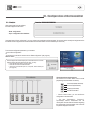
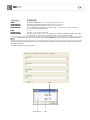
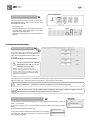
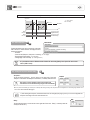
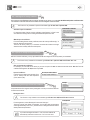
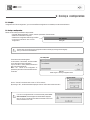
The window shown beside appears .
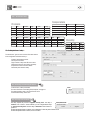
This window has a function button and 3 to 6 tabs
(depending on the transmitter connected) :
Class
300
Class
200
Class
DIS
CP
Class
300
Class
200
Class
300
Class
200
CP
Class
300
300
Class
200
Class
Class
Class
DIS
DIS
DIS
Class
300
Class
200
Class
300
Class
200
Except
CTV200, CTV210
and CTV310
CP
200
CTV
200
CTV
310
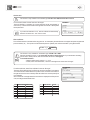
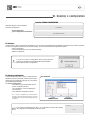
Type of transmitter
300
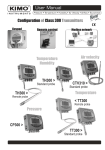
Class 300 (CP, CPE, TH and CTV).
Class 200 (CP, TH and CTV).
Displays (ATT and ATE).
CP 300 Transmitters
Via the function button, you can transfer the
configuration to the transmitter.
l
The tabs "Generalities", "Channels",
“Input/Output”, "Alarms”, “Parameters” and “Air
velocity/flow” show all relative information regarding
the configuration of the transmitter. Click on the tab
required to display the information.
l