1
Beocompatible Operation via
Oneremote Interface Type 2536
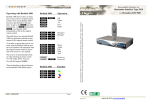
Beolink 1000 does not have as many
keys as the receiver’s original remote
control. Thus certain Beolink 1000
keys have got alternative functionality. To get to this phas to be
pressed first, i.e. pfollowed by
p on a Beolink 1000 corresponds
to OK on the original remote control.
The table shows how special Beolink
1000 key operations translate to operations of the original remote control.
To be able to operate the receiver correctly with the Beolink 1000 the user
has to be familiar with operations with
the original remote control as described in the receiver’s user manual.
The receiver is automatically turned
on when selecting its source on the
TV with Vmem, DTV, Vtape, DVD,
Vaux etc.
We call this function i.
Beolink 1000
Operation
pp
OK
g
x
Green - yes
Blue - no
q
pq
Wide
Status
pC
pV
pZ
pX
Guide
Info
Swap
Text
p0
p1
p2
p3
Cancel
Setup
Audio
Subtitles
hX
hC
Yellow
Blue
for Humax F4-TTA
Beo4 and Beolink 1000 are remote control terminals from Bang & Olufsen. Oneremote supplies interface
modules that allow third party equipment to be operated via a Bamg & Olufsen remote control system.
Operating with Beolink 1000
There is therefore no physical button
on the Beolink 1000 named source.
Page 4
Type 2536v1
made in the EU by www.oneremote.dk
Congratulations
In a Bang & Olufsen Beolink videosystem
full operability is ensured in all link rooms.
Operating with Beo4
Beo4
Operation
oo
e
OK
Cancel
oD
oF
oA
oS
Guide
Info
Swap
Text
This user guide tells you how.
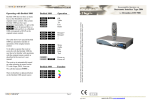
Beo4 does not have as many keys as the
receiver’s original remote control. Thus
certain Beo4 keys have got alternative functionality. To get to this Ohas to be pressed first, i.e. Ofollowed by O on a
Beo4 corresponds to OK on the original
remote control.
Plug and Play
The table shows how special Beo4 key
operations translate to operations of the
original remote control.
q
oq
Wide
Status
To be able to operate the receiver correctly
with the Beo4 the user has to be familiar
with operations with the original remote
control as described in the receiver’s user
manual.
oQ
oW
oR
oE
Setup
Subtitles
Status
Audio
o2
o9
Sound
Power
With the interface module INT2 from
www.oneremote.dk installed inside your
receiver and connected to a Bang & Olufsen
TV you can operate the receiver with your
Bang & Olufsen remote control terminal.
*Beocompatible means that the equipment can be
operated with a Bang & Olufsen remote control when
connected to a Bang & Olufsen TV.
The receiver can be connected directly to a
vacant linkequipped AV socket on the Bang
& Olufsen TV.
Following the correct programming of the
AV connection the receiver is ready to
operate. For programming of the AV
connection check the Bang & Olufsen TV
User Manual.
The receiver is automatically turned on
when selecting its source on the TV with
Vmem. DTV, Vtape, DVD, Vaux etc. We
call this function i.
If the Bang & Olufsen TV does not have a
vacant useable AV socket a Oneremote AV
Selector can be supplied.
There is therefore no physical button on the
Beo4 named source.
Bang & Olufsen Remote Controls
With your beocompatible* receiver
connected to a Bang & Olufsen TV you may
operate it with your Beolink 1000, 5000,
7000 or Beo4.
With Beo4 the operation is slightly easier.
Thus Beo4 is the recommended remote
control for this receiver.
,
Operation in a Beolink Videosystem
Page 2
Page 3