1
Smooth Stepper & Breakout Board Manual CM106ESS
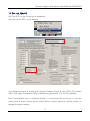
That is all you need to do for the static IP address.
2. You can try running Mach at this point, but you might need to disable the firewall if
it doesn't communicate. When you run Mach, a firewall warning might pop up that
says an application is trying to access the Internet. Give it permission to do so. I
believe it needs to be valid for Public networks and not just Home or work (private)
networks. That way you won't need to disable the Firewall because you are creating
an exception for Mach.
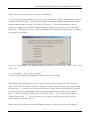
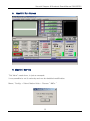
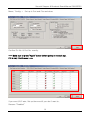
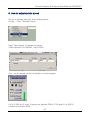
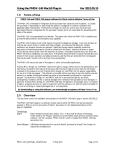
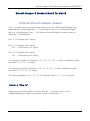
If you run “Mach3Mill” the window above will show up and choose “ESS-v10a” and
click “OK”
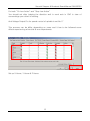
If you checked, ”Don’t ask me again”
It means that it will do automatically without asking next time.
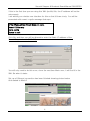
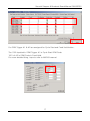
Depending upon whether or not the user has previously checked off the box that
says "Don't ask me again" when you select a motion control device, you might need
to reset that. In order to do that you will need to have Mach running (which means
you will need to be pretending to be running another device such as the parallel
port). Choose the pull-down menu "Function Cfg's". Then choose the option
"Reset Device Sel...". The next time you run Mach it will ask you which motion
control device you want to run.
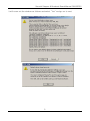
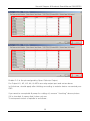
When you run the Ethernet SmoothStepper plugin, it will try to contact the board.
3
JI Robotics