1
1.Rear-view mirror
2.GPS navigation system
3.Bluetooth hands free system
4.Media center
5.Rear view visual system (with AV-IN)
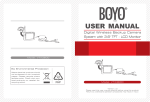
Clip the clamp on the back of the navigator, the left half of the navigator used as the
normal rear-view mirror, on the right half is the GPS navigator screen.
Rear-view Mirror
GPS Navigator(Touch Screen)
Auto-dimmer Sensor
FRONT PANEL INDICATIONS
Channel
Bluetooth
Power
SD Card Slot
USB connector
Volume +
Volume Microphone
1
Channel selection
Switch between AV1/AV2/AV3/GPS display
2
Bluetooth
Execute blue-tooth hands free receiving function
3
Power
Turn on/off the GPS navigator LCD display (NOT power off)
4
Volume -
Turn the system volume down
5
Volume +
Turn the system volume up
1