1
6
Microphone
Use this to talk during phone call
7
USB connector
Connect to your PC for data transfer
8
SD card slot
Insert S/D memory card for map or storage expansion
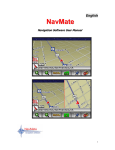
THE MAIN MENU OF THE NAVIGATION
Navigation
Enter navigation mode
Photo
View the photo stored on SD cards
E-book
View .txt e-book stored on SD card
Bluetooth
Enter Bluetooth hands free operation menu
Video
Switch to video in mode
Music
Play music files stored on SD card
Movie
Play video files stored on SD card
Setting
Enter system setting menu
Follow these four easy steps and you are on your way.
Before operating your NavMate software, please carefully read and follow the
instructions provided in the "Safety Information and Precautions" section of
user manual.
Step1-Please Drive Safely
2