1
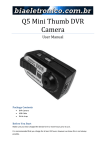
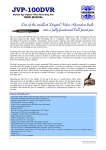
GUMCAMERA Chewing Gum Micro-Camera
User Manual
Mini Hidden Spy Camera / Video Recorder AVR Gum 30fps
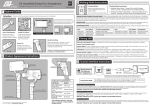
ON/OFF SWITCH –
ON – push the button up to turn the camera on
OFF – Push the button down to turn the camera off
CAMERA/VIDEO – Push the switch up to activate the camera mode
Video – To activate the video mode push the switch down
START/STOP –
camera – Hold the button down until the middle yellow light appears. Once the camera is
ready the first light will light red and the middle one will turn orange. To take a picture point
the camera at your object and press the start/stop button the red light will disappear, once
the red light re appears the photo will have taken.
Camcorder – Hold the button down until the middle light turns yellow, after a few seconds
the third light will light up blue and the middle light will change to white. This means the
camera is ready to start recording. Point the camera at the object you wish to film, press the
start/stop button once it will now be filming you will know this for sure as the lights will flash
from blue to yellow every few seconds. When you have captured your footage press the
start/stop button again and the recording will stop.
MICRO SD CARD SLOT – You can place anything upto an 8GB micro SD card in here
MICROPHONE – This will record the sound when filming
USB PORT – Plug your usb cable into here and then into your pc and lift all your
images/videos off and start viewing.
POWER LIGHT – This will light up yellow when the camera is on