1
NetDisk
NDAS(Network Direct Attached Storage)
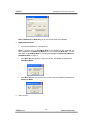
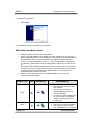
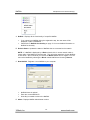
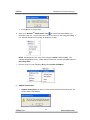
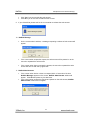
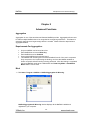
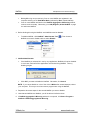
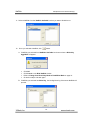
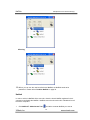
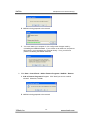
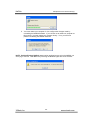
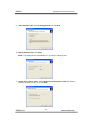
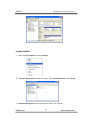
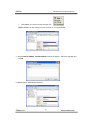
4. Installation is completed.
•
Click Finish.
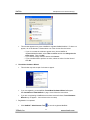
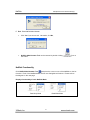
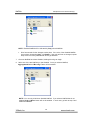
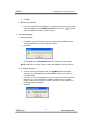
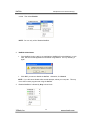
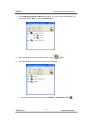
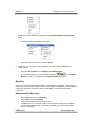
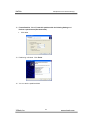
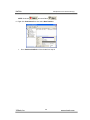
5. New NetDisk has been registered to your computer.
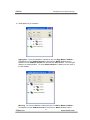
NDAS Status and Mode Indicator
•
•
•
•
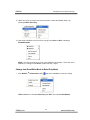
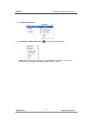
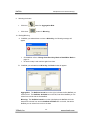
NetDisk provides users with seven basic Modes.
When a user first registers his/her NetDisk, it is either registered in as a Read Only
Mode or Read/Write Mode. Once the NetDisk is successfully registered with either of
the two Modes, user can change the Mode of the NetDisk or perform advanced
functions, such as aggregation or mirroring. Fore more information on Aggregation
and Mirroring, please refer to sections on Aggregation or Mirroring on pages 24 and
36.
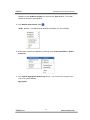
Read Only Mode and Read/Write Mode will be the two most commonly used Modes.
Instructions on how to change back and forth from these two Modes can be found on
19 (Change from Read Only Mode to Read/Write Mode) and 23 (Change from
Read/Write Mode to Read Only Mode).
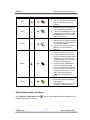
Below is a chart describing each of the NetDisk’s Mode and the icons that
correspond with each Mode.
NetDisk Color
Icon
NetDisk Icon
Read/Write Mode
• Users can read and write to and
from NetDisk.
• Only one user can write to a
specific NetDisk at a time (one
writer per NetDisk).
• No users can write to NetDisk until
the current writer of the NetDisk
passes on the writing access to
another user.
Read Only Mode
• Users can only read from NetDisk.
• Any number of users can read
from a NetDisk or from a same file
Blue
Green
XiMeta, Inc
Mode/Meaning
14
www.ximeta.com