1
IBOX-MBS-ESSER
4.8 Files
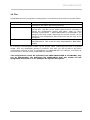
LinkBoxMB saves the integration configuration in the following files inside the project folder:
PROJECT.INI
ESSER.INI
ESSER.DAT
ESSER.LBOX
It is strongly
media, once
configuration
the hard disk
.ini file containing general information referent to the project
.ini file containing the information referent to the connection
parameters and other special adjustments
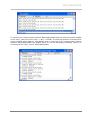
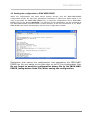
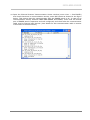
Text file (tab separated values) with the signals information
(groups list). This file can be edited (with Excel for example) to
change the configuration quicker and easier. Later on, when
selecting Configuration -> IBOX-MBS-ESSER in LinkBoxMB, if the
changes have been made respecting the correct format, all the
changes in the configuration done from Excel can be seen in the
groups list.
Binary file created from the information in the four files
described above. This is the file really downloaded to IBOX-MBSESSER.
recommended to back up the project folder containing these files in external
the installation process is finished. This way you will be able to do future
changes in case of reinstallation of LinkBoxMB due, for example, to a failure of
in the PC where LinkBoxMB was installed.
The configuration cannot be uploaded from IBOX-MBS-ESSER to LinkBoxMB, only
can be downloaded, the download file ESSER.LBOX does not contain all the
integration information, as for example the signals description.
21
ES-MN-18001-01-2 / May-2012