1
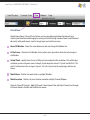
What’s New!
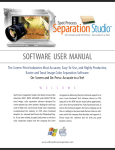
Besides just about everything...Separation Studio is still
driven by the acclaimed color algorithm that is Spot
Process - resulting in the finest quality separations and
press workflow available today. NOW, it’s surrounded by
powerful tools and turbo charged redraw engine.
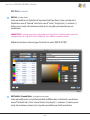
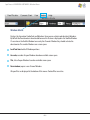
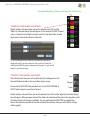
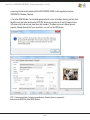
Channel Properties Window!
This Window allows the user to change everything from
the channel name and color to press position in one
easy window.
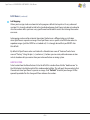
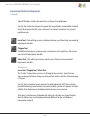
Dock-able and Lock-able Windows!
Separate Files with Transparent Backgrounds!
This allows you to customize your workspace.
Wow, now create only ONE master file and use that to
create all your separations including the black channel.
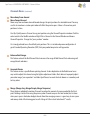
Independent Background Layer!
Instant Screen Redraw!
Variety of Editing Tools!
Lots of editing tools and selection tools so you can
control every part of your image individually.
Having an independent background layer (not saved as
a spot color) means you will not accidently print this
Channel to film or have to manage it in your graphics
program. No longer imported into the color palette as a
useable spot color value.
New dark interface eases eye strain!
Expand your Separation Studio user interface to full
screen and work with eye calming colored windows
and menus.
Create and control your own textile, background
and ink color sets!
NEW single file workflow!
Photoshop users can greatly reduce their workflow by
creating a single file that will do all the separations for
any print situation. Separation Studio now handles the
background as an independent function within the program giving it control over transparent properties.
Open and work on multiple files!
Ink and film views!
These views help the artist and production team make
exact edits and decisions.
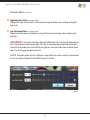
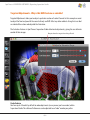
Multiple Window Views!
These views allow you to open the same Channel as see
it 3 different ways - full color, just that Channel in its
color an just that Channel in black and white film view.
Backgrounds can even be eliminated to view Channels
on transparent backgrounds.
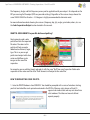
1. Create a TIF ( layered file) with a transparent background. When saving select "transparency" in the TIF
options window (see pages 31 and 32).
2. Now you can use this one file to create your initial set
of separations used for printing on a black garment and
the same file to generate the black channel used to
print on white and colored garments (just as you
presently use a cropped image).
Easy, fast and a great workflow enhancement!
FREE Videos online for Separation Studio and much more!
http://www.softwareforscreenprinterstech.com/video-cafe
Link to Separation Studio Specific Videos:
http://www.softwareforscreenprinterstech.com/separation-studio
Our Video Café is loaded with instructional and informational videos
about this software and much more. ENJOY!