1
PRELIMINARY
1.2 Cold Start Behaviour
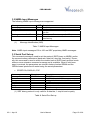
After an initial power on the module will start with a sequence like this:
$GPGGA,,,,0,00,,,M,0.0,M,,0000*48
$GPGSA,*6E
$GPRMC,,*4B
$GPGGA,,,,0,00,,,M,0.0,M,,0000*48
$GPGSA,*6E
$GPRMC,,*4B
…
In NMEA mode the firmware will not report time, date or any signal information, until
a position fix can be calculated. Therefore, also the GPGSV sentence is missing. If
this information is required, it is necessary to switch to SiRF Binary mode.
1.2.1 Additional Output Messages
Occasionally, the following message can be seen:
•
$PSRF156,23,1,0*09
This is the receiver’s message to request a download. The download can be started
immediately.
In addition the following message (or a similar one) can be seen:
•
$PSRF151,2,0,30094,0xFFFFFFFF*56
With this message the receiver is showing GPS data (time valid, week, time of
week) and the Ephemeris mask. The Ephemeris mask is indicating which satellite’s
Ephemeris data should still be loaded.
1.2.2 InstantFix – Extended Ephemeris Support
The firmware supports both Client generated as well as Server generated Extended
Ephemeris (EE) data. Client generated data are calculated automatically, as soon
as broadcasted Ephemeris data are available. The validity of these data is up to
three days. For details about the Server generated EE data, please refer to the application notes
•
•
GPS AppNote EE Receiver Load (Vincotech)
GPS AppNote EE Server Download (Vincotech)
V0.1 - Apr-10
User’s Manual
Page 6 of 28