1
l
l
l
l
l
Send/ Camera/ (Move To Card /
Move To Phone)/ Add
Slideshow/ Lock/ Erase/ Erase
All
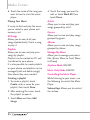
Touch
to zoom in or out,
to rotate the image, or
to
crop the image.
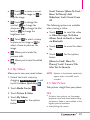
Touch
to change the
contrast,
to change the
sharpness,
to change the blur
level, or
to change the
brightness level.
Touch
to select a stamp
to place on the image or
to
select a frame to place on the
image.
Allows you to undo the
previous edits.
The following options are available
when viewing a video:
l
l
l
Allows you to view your saved videos.
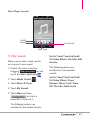
1. Unlock the touch screen by
dragging Slide up to unlock up and
touch the Menu Quick Key .
2. Touch Media Center
3. Touch Picture & Video.
.
4. Touch My Videos.
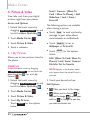
Touch More for the options
below:
Touch Erase to erase the video
file.
Touch More for the options
below:
(Move to Card/ Move To
Phone)/ Lock/ Camera/ File
Info/ Set As Favorite.
Allows you to save the edited
image.
4.2 My Videos
Touch Send to send the video
as Video Message, To Online
Album, Send via Email, or Send
via Bluetooth.
NOTE Options in the bracket would only
appear when a microSD card is
inserted.
4.3 Take Picture
Take pictures straight from your phone.
TIPS
l
l
To take a clear picture, set the proper
brightness level and zoom before taking
the picture. Zoom is not available at the
highest picture resolution.
Avoid jolting the camera.
89