1
BIOS SETUP
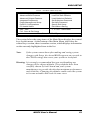
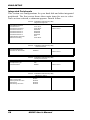
Security Option
This field allows you to limit access to the System and Setup. The default
value is Setup. When you select System, the system prompts for the User
Password every time you boot up. When you select Setup, the system
always boots up and prompts for the Supervisor Password only when the
Setup utility is called up.
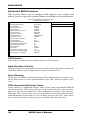
APIC Mode
APIC stands for Advanced Programmable Interrupt Controller. The
default setting is Enabled.
MPS Version Control for OS
This option is specifies the MPS (Multiprocessor Specification) version
for your operating system. MPS version 1.4 added extended
configuration tables to improve support for multiple PCI bus
configurations and improve future expandability.
The default setting is 1.4.
OS Select for DRAM > 64MB
This option allows the system to access greater than 64MB of DRAM
memory when used with OS/2 that depends on certain BIOS calls to
access memory. The default setting is Non-OS/2.
HDD S.M.A.R.T. Capability
By default, this field is disabled.
26
MI952 User’s Manual