1
Operation
Options while on calls
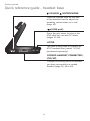
Switching between PHONE mode and PC mode
You can switch back and forth between PHONE mode and PC
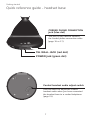
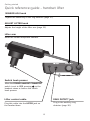
mode while on a call by pressing the corresponding mode button
on the headset base. Once selected, the PHONE mode light or
the PC mode light flashes twice every three seconds to indicate
that line is on hold.
When you have two registered headsets in use at the same time,
you can still change the mode by pressing the corresponding
mode button on the headset base.
While on a call:
• Press the PHONE button on the headset base when in PC
mode. The PC call is put on hold.
• Press the PC button on the headset base when in PHONE
mode. The PHONE call is put on hold.
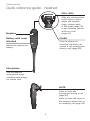
Press on the headset to end the current call you are on. Press
again to connect to the call on hold.
NOTE: There is a ring back tone on the headset for one minute when a
PHONE call is put on hold for 14 minutes. At 15 minutes on hold, the call
will be automatically disconnected.
43