1
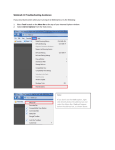
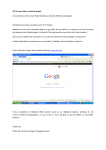
…..and paste it to the signature field of your webmail Tick ‘Automatically include my signature…..’ Save your settings and go back to your mailbox If you did not save the signature, the system will remind you to do so when you change the area 5 Webtelex Webtelex is an emergency access to a telex Mailbox via Outlook Web Access in case infraPORT, Network or your client (Workstation, Notebook or Thin Client) is not available. Webtelex allows you to read messages and to write Emails. But you can not send Type B Messages or have an automated printout. Webtelex does not require any installed and configured SW (i.e: Outlook, ICA-Client). The only requirements are a Internet connection (i.e. Hotel, Internet Coffee) and a Web-browser (Internet explorer, Firefox, …) that’s all. To connect to webtelex, open your webmail first The URL is https://webmail.swissport.com/ Insert your infraPORT User ID (spi\<userID>) and your infraPORT Password. When logged in to your webmail, you can open webtelex by inserting the TXM Name in the ‘Open Other Mailbox’ field… 7