1
Software Description
5.3
Main Screen
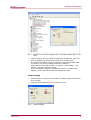
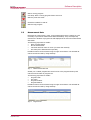
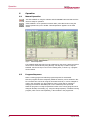
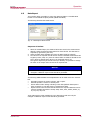
On the main screen the current treadmill values are displayed and the various program functions can be selected. After the software is started, lists for measurement
data and programs can also be selected.
If the treadmill has event control, an additional directory for events appears.
Fig. 6
5.4
Main Screen
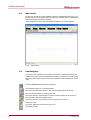
Operating Keys
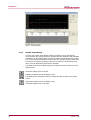
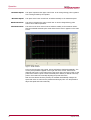
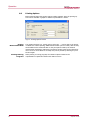
The function key is located in the toolbar. The function is started by pressing the
respective key. With some keys additional occupancy is possible by list entry (drag
and drop). The function is then executed in combination with the data from the list
entry.
Ends the WOODWAY treadmill control program
Print measured values or a running program
lcon-Drop: Print measured values or the running program shown as an lcon
Start the program editor for creating programs
lcon-Drop: Start the program editor to edit a running program shown as an lcon
Start the event editor for creating events
lcon-Drop: Start the event editor to edit an event shown as an lcon
Upload an event
Icon-Drop: Upload the event shown as an Icon
Start manual mode
14
02/2014-v1.0en