1
General Features
Excellent Sound
Dolby Digital, a technology developed by Dolby
Laboratories, provides crystal clear sound
reproduction.
Disc Type and Characteristics
Memory Card
“Memory Card” is a new compact, portable
and versatile IC (Integrated Circuit) recording
medium with a data capacity that exceeds a
floppy disk.
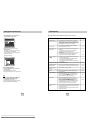
This DVD player is capable of playing the following types of discs with the corresponding
logos:
Disc Types (Logos)
Screen
Both regular and widescreen(16:9) pictures can be
viewed.
Slow Motion
An important scene can be viewed in slow motion.
Programmed Play
You can program tracks to play in desired order.
(CD)
Parental Control
The parental control allows users to set the level
necessary to prohibit children from viewing harmful
movies such as those with violence, adult subject
matter, etc.
Various On-Screen Menu Functions
Progressive scanning creates an improved picture
with double the scan lines of a conventional
interlaced picture.
EZ VIEW
Easy View can convert Letter Box images to full
screen viewing on your conventional TV.
Digital Photo Viewer (JPEG)
You can view Digital Photos on your TV.
Repeat
You can repeat a song or movie simply by pressing
the REPEAT button.
MP3
This unit can play discs created from MP3 files.
Audio
+
Video
Note
* Discs which cannot be played with this player.
• DVD-ROM
• DVD-RAM
• CD-ROM
• CDV
• CDI
• HD layer of super Audio CD
• CDGs play audio only, not graphics.
AUDIO-CD
* The unit may not play certain CD-R, CD-RW and
DVD-R due to the disc type or recording
conditions.
Many DVD discs are encoded with copy
protection. Because of this, you should only
connect your DVD player directly to your TV, not
to a VCR. Connecting to a VCR results in a
distorted picture from copy-protected DVD
discs.
This product incorporates copyright protection
technology that is protected by methods claims of
certain U.S. patents and other intellectual property
rights owned by Macrovision Corporation and other
rights owners.
Use of this copyright protection technology must be
authorized by Macrovision Corporation, and is
intended for home and other limited viewing uses
only unless otherwise authorized by Macrovision
Corporation. Reverse engineering or disassembly is
prohibited.
31/2"
Single-sided 80 min.
Double-sided 160 min.
5"
74 min.
31/2"
20 min.
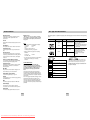
Disc Markings
~
COPY PROTECTION
5"
Max. Playing Time
NTSC
DIGITAL
SOUND
Play Region Number
NTSC broadcast system in U.S.A, Canada,
Korea, Japan, etc.
The Region Number for this player is described on the
rear panel of the player.
Stereo disc
Digital Audio disc
DTS disc
MP3 disc
This function is used to replay the previous
10 seconds of the movie from the current position.
Instant Skip
This function skips playback ahead 10 seconds.
Downloaded From DvDPlayer-Manual.com Samsung Manuals
• CD is recorded as a Digital
Signal with better audio quality,
less distortion and less
deterioration of audio quality
over time.
Play Region Number
Instant Replay
ENG-6
MPEG-2 system.
• Various screen and audio functions
can be easily selected through the
on-screen menu.
Both the DVD player and the discs are coded by region.
These regional codes must match in order for the disc to
play. If the codes do not match, the disc will not play.
Dolby Digital disc
STEREO
Characteristics
Single-sided 240 min. • DVD contains excellent sound and
Double-sided 480 min. video due to Dolby Digital and
Audio
* Ability to play back may depend on recording
conditions.
• DVD-R, +R
• CD-RW
• DVD+RW, -RW
You can select various languages (Audio/Subtitle)
and screen angles while enjoying movies.
Progressive Scan
Recording Types Disc Size
DVD
ENG-7