1
YACC — User Manual
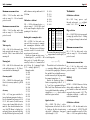
The first value corresponds to TRIP
1 and is shown only for active trip.
The second value corresponds to
current traveled distance (since
key was turned on).
Distance, travel time and fuel cost measurements start each time when the
key is turned on (precisely since the
first moment when v ≥ 0.5 km/h) and
end when the key is turned off.
Tachometer
The value of engine revolutions per
minute is shown.
RPM 1200
Average fuel consumption
Average fuel consumption corresponding to traveled distance (since the key
was turned on) is shown. The unit is
l/100 km.
FA 7.5
User can choose between displaying
numerical values related to consumed
fuel (averages FA, FH, FK, FX, fuel counter
F) with accuracy of one or two decimal
digits after decimal dot (FUEL → ACC).
One should remember however, that
TID allows to display decimal point between two most right digits only. With
two digit accuracy result will be shown
as integer with unit 0.01 l/100 km.
FA 750
Instantaneous fuel consumption per
hour
Instantaneous fuel consumption corresponding to last 5 seconds is shown.
The unit is l/h.
FH 1.2
Page 2 of 17
Instantaneous fuel consumption corresponding to segment of the road
Instantaneous fuel consumption corresponding to the preceding segment of
the road of selected length (10 m, 20 m,
50 m, 100 m, 200 m, 500 m, 1 km) is
shown. The unit is l/100 km.
FK05 8.5
or
FX05 8.5
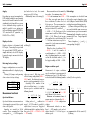
Long press enters settings mode enabling to select length of the segment of
the road. Next short presses cycles between values 10 m (FK01), 20 m (FK02),
50 m (FK05), 100 m (FK1), 200 m (FK2),
500 m (FK5), 1 km (F1K). Long press
switches between FK and FX modes. In
FK mode all amount of used fuel is included in calculations. In FX mode fuel
used when vehicle was stopped is not
included. YACC returns to main menu
automatically after 5 second.
switches to editor mode (EDIT) Trips
where you enter the amount (in
Trips allows to measure total distance,
0.01 l) of fuel added.
time and used fuel for longer periods.
c) CAL – choose this command when Long press in
TRIPS
you are filling your tank and want
mode
switches to trips related menu
to use the data collected during
where
short
presses cycle through sucthe past tank to calibrate your
cessive
trips
(TRIP 1, TRIP 2, TRIP 3)
fuel coefficient cf uel . Long press
and
command
EXIT returning to main
switches to editor mode (EDIT)
menu
—
automatically
after 5 seconds
where you enter the amount (in
or
with
a
long
press.
0.01 l) of fuel added during this
For each trips following values are
fill-up.
displayed every 2 seconds
d) PRICE – fuel price. Long press
switches to editor mode (EDIT)
where you enter fuel price in 0.01
currency unit. Currency symbol can be defined in FUEL →
CURRENCY mode.
e) EXIT – returns to previous menu.
Automatically after 5 seconds or
with a long press.
a) trip number, e.g.
TRIP 1 *
b) traveled distance,
c) average speed,
d) time of trip,
e) average fuel consumption,
Fuel gauge
f) total fuel consumption,
The amount of fuel used so far is Fuel cost
shown. The unit is l.
F 31.2
Fuel cost corresponding to traveled disLong press enters the fuel related tance is shown.
menu. Successive short presses cycle
EUR 10.6
through following commands.
g) fuel cost.
a) RESET – counter reset. Use this
command every time you fill up
but don’t want to recalibrate fuel
coefficient cf uel . Long press resets
the counter and confirms with
message
DONE
b) ADD – use this command every
time you are filling your tank but
not completely full. Long press
Battery
The battery voltage is shown. The unit
is V.
BATT 12.2
YACC switches to this mode immediately after key is turned on giving possibility to observe voltage drops when
vehicle ignition is attempted. After 20
seconds YACC returns automatically to
basic mode.
Symbol * after number means that trip
is active i.e. distance, time and fuel
data are updated all the time. Lack of
* means that trip was ended.
Long press begins or ends the trip.
If the trip is inactive the command
BEGIN n
is shown where n corresponds to trip
number. Next long press resets all trip
related data and marks trip as active.
The action is confirmed with
DONE
Since that moment distance, time and
fuel data will be updated all the time.
If the trip is active the command
END n