1
Electric and Nonelectric Quantities Measurement in Power Engineering using LabVIEW
47
When using the port is at an end, it should closed for other applications to be able to gain
access to it if they request to. The closing of the port is done through the Functions ->
Instrument I/O -> VISA ->VISA Advanced -> Visa Close node.
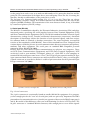
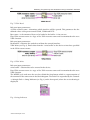
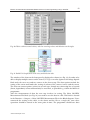
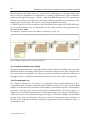
VISA Close (see Fig. 10) closes the specified session of the device or the resulting object. VISA
Close accepts all the available categories.
Fig. 10. Visa Close.
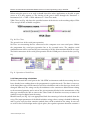
The general view of the serial port operation:
We have two measuring devices connected to the computer over two serial ports. Within
the programme the serial port operation has to be executed twice. The simplest serial
communication will be activated by just connecting of all the aforementioned blocks in a row.
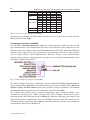
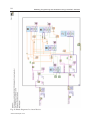
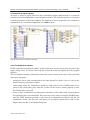
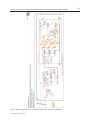
The block connection of the serial port operation for the COM2 port is shown below (see Fig.
11):
Fig. 11. Operation of Serial Port.
2.3.4 Data processing, calculations
We have activated the serial port in the Lab VIEW environment and the measuring devices
have already been sending data to the programme in regular intervals. The data is, however,
of the String data type which cannot be used for calculations and so the data type needs to be
changed. Moreover, the string sent by the multimeter also contains an abbreviation relating
to the measured quantity and a unit of the given quantity, blocks for the transmission of the
data type would not be able to convert the values and it is therefore necessary to remove all
symbols except for digits from the string.
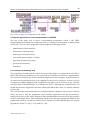
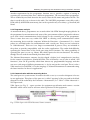
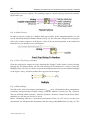
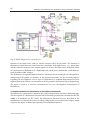
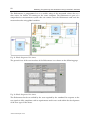
Match Pattern (see Fig. 12) is an appropriate block for removing of selected symbols from the
string. The input parameters of the block include a string, where a string is loaded for filtering,
and a regular expression that contains symbols that will be retained in the string. In our case
we wish to leave all the digits and a sign in place, the regular expression therefore contains a
www.intechopen.com