1
VCMUtility Options File
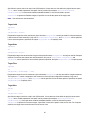
You can specify VCMUtility options in an options file whose name is passed as the first parameter of the
VCMUtility command.
Example:
VCMUtility c:\VCMconfig.txt
Each option in the file must begin on a new line. Option names must begin in column 1 and be followed by at least
one white space character. An option’s value can flow onto multiple lines by starting each continuation line with a
blank or tab character. Blank lines are ignored. You provide comments by prefixing them with a double forward-slash
(//).
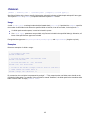
Example:
// This is a comment
server jsmith:mypw@somehost:49201
type Rebase
include "/Cygnus/StarTeam/<StarTeam Core>/Server/Common/*.h" +ALL
*.cpp
*.rc Makefile
// long value continued on a second line
// The line above was blank
save
my—rebase-session
// value provided on a separate line
Command-line Parameters
VCMUtility options can be passed as command-line parameters by placing a dash in front of the option name.
For example, the Server option can be provided as a command-line parameter -server. If an option has
secondary "value" tokens, they must immediately follow the option name (without a dash).
Mixing Input Sources
VCMUtility options can be provided in an options file, with command-line parameters, or with a mixture of both.
For example, commonly-used or "static" option values can be placed in the configuration file while "dynamic" values
can be provided in command-line parameters.
A command-line parameter may specify the same option as defined in the configuration file. When a command-line
argument specifies the same option as in the options file, the command-line option value overrides the configuration
file option value. For example, if the configuration file specifies Source View1 but the command-line specifies Source View2, then View2 is used as the source view.
Option Values with Unicode Characters
The encoding of option values passed as command-line arguments is controlled by the launching environment (for
instance, command shell). Consequently, on systems where option values must be passed to the VCMUtility that
require characters not expressible by the launching environment, those options must be passed by way of the options
file.
When the options file does not begin with a byte-order mark (BOM), it is opened with the system default character
set (for example, ANSI [Windows-1252] on Windows, UTF-8 on Linux). If the options file begins with a BOM, it is
interpreted with the corresponding encoding. UTF-8 and UTF-16 encodings allow the full set of Unicode characters
to be provided in the options file.
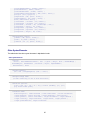
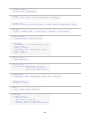
For Reference, the BOM sequences are:
74