1
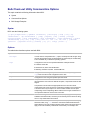
Remove Files: stcmd remove
Use stcmd remove to remove files from version control. The specified files and their revision histories no longer
appear in StarTeam unless you roll back the project view to a time before they were removed.
Syntax
The syntax for this command is as follows:
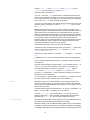
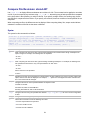
stcmd remove -p "projectSpecifier" [-pwdfile "filePath"] [-cmp] [-csf]
[-encrypt encryptionType] [-is] [-q] [-x] [-stop] [-rp "folderPath" | -fp "folderPath"]
[-filter "fileStatus"] [-df] [files...]
Option
Description
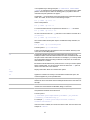
-df
Deletes the user’s working file. Without this option the working file remains in the working folder on your workstation.
-filter Specifies a string of one or more characters, each of which represents a file status. Never include spaces or other
whitespace in this string. Only files that currently have the specified statuses will be removed. You cannot remove
files that are Not In View from version control. The letters used to represent the statuses are: C for Current, M for
Modified, G for Merge, O for Out of Date, I for Missing, and U for Unknown.
Example
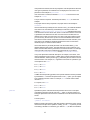
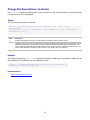
The following example uses stcmd remove to remove all .hm files from SourceCode, a child of the root folder
StarDraw (in the StarDraw view of the StarDraw project), as well as all files in child folders of SourceCode. It also
deletes the working files.
stcmd remove -p "JMarsh:password@Orion:1024/StarDraw/StarDraw/SourceCode" -is -df "*.hm"
Related Reference
Client Command-line Operations
68