1
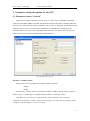
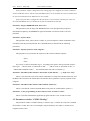
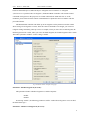
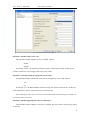
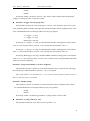
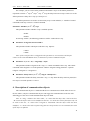
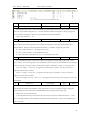
GVS K-BUS KNX/EIB RS232/KNX Controller Enable Disable If selecting “enable”, the object “serial X, 1 bit” will be visible, and the following parameter “Trigger via 1bit group value” will be also visible. Parameter “Trigger via 1 bit group value” This parameter specifies the value of the object “serial X, 1 bit”. When the object receives the value, the RS232/KNX controller will trigger the serial and send the control commands of the serial to the controlled RS232 device through COM1/2 step by step. Options: ―0‖=trigger, ―1‖=stop ―1‖=trigger, ―0‖=stop Both trigger, auto stop If selecting “―0‖=trigger, ―1‖=stop”, the RS232/KNX controller will trigger the serial with the value “0” received by the object “serial X, 1 bit”, and stop the serial with the value “1”. If selecting “―1‖=trigger, ―0‖=stop”, the RS232/KNX controller will trigger the serial with the value “1” received by the object “serial X, 1 bit”, and stop the serial with the value “0”. If selecting “Both trigger, auto stop”, the RS232/KNX controller will trigger the serial with the value “0” or “1” received by the object “serial X, 1 bit”, and the serial is stopped automatically when it has been executed completely. Parameter “assign serial number (1~64, 0=no assigned)” This parameter specifies a number to serial X that means the object “Serial X call” will trigger the serial X by the allocated number. Options: 1~ 64, 0: no assigned. Note: If the number is set more than once, i.e. it is also set in the parameters of other serials, in that way, only the first set is available. Parameter “Enable cycling” The parameter is used to set whether to send cyclically the control commands of the serial to the controlled RS232 device through COM1/2 step by step. Options: Enable Disable If selecting “enable”, the following parameter “Cycling counter” will be visible. Parameter “Cycling counter [2…15]” This parameter defines the cycle times of serial. Options: 2…15 13