1
Pololu AVR Library Command Reference
© 2001–2009 Pololu Corporation
Reference
C++ and Arduino methods are shown in red.
C functions are shown in green.
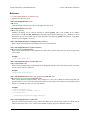
static unsigned char OrangutanPushbuttons::waitForPress(unsigned char buttons)
unsigned char wait_for_button_press(unsigned char buttons)
This method will wait for any of the buttons specified by buttons to be pressed, at which point execution will
return. The argument buttons can be a combination of the literals TOP_BUTTON, MIDDLE_BUTTON, and
BOTTOM_BUTTON (for the Orangutans) or BUTTON_A, BUTTON_B, and BUTTON_C (for the 3pi)
separated by the bitwise OR operator |. The returned value is the ID of the button that was pressed. Note that this
method takes care of button debouncing.
Example:
unsigned char button = OrangutanPushbuttons::waitForPress(TOP_BUTTON | BOTTOM_BUTTON);
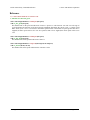
static unsigned char OrangutanPushbuttons::waitForRelease(unsigned char buttons)
unsigned char wait_for_button_release(unsigned char buttons)
This method will wait for any of the buttons specified by buttons to be released, at which point execution will
return. The returned value is the ID of the button that was released. Note that this method takes care of button
debouncing.
static unsigned char OrangutanPushbuttons::waitForButton(unsigned char buttons)
unsigned char wait_for_button(unsigned char buttons)
This method will wait for any of the buttons specified by buttons to be pressed, and then it will wait for the
pressed button to be released, at which point execution will return. The returned value is the ID of the button that
was pressed and released. Note that this method takes care of button debouncing.
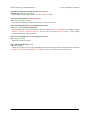
static unsigned char OrangutanPushbuttons::isPressed(unsigned char buttons)
unsigned char button_is_pressed(unsigned char buttons)
This method will returns the value of any of the buttons specified by buttons that is currently pressed. For
example, if you call buttons.isPressed(ALL_BUTTONS) and both the top and middle buttons are pressed, the
return value will be (TOP_BUTTON | MIDDLE_BUTTON). If none of the specified buttons is pressed, the
returned value will be 0. The argument buttons can refer to multiple buttons (see the waitForPress() method
above).
8. Orangutan Pushbuttons
Page 21 of 33