1
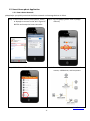
2.1. Smart Home pdnet Setup
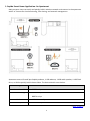
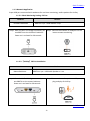
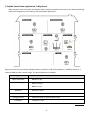
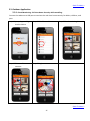
2.1.1. Smart home controller installation and settings
Location
Devices
Study room
Smart Home Controller
GR297n x 1pc + Webcam x 1pc + USB Flash Drive or external
HDD x 1pc
Study room
Computer x 1pc
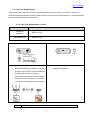
2.1.1.1. Installation
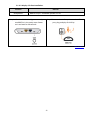
Step 1. Install 3pcs 7dBi high gain antennas on
GR297n.
Step 2. Connect modem to GR297n’s WAN port via
an Ethernet cable.
Step 3. Connect the USB Flash Drive or
Step 4. Power on the router and wait for 30
seconds.
External HDD to USB port for network
storage; connect a webcam for remote
monitoring.
Step 5. Connect a computer to GR297n’s LAN port via an
Ethernet cable. Through Wake-on-LAN (WoL)
technology, smartphone users can wake the
computer remotely for files accessing and
multimedia files sharing with others at the same
time. Please set up the GR297n using computer.
- Back To Menu 16