1
2.1.4. Network Application
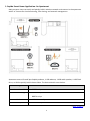
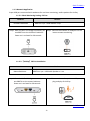
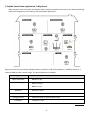
Super USB port connected with webcams for real time monitoring and audio speakers for AirPlay.
2.1.4.1. Cloud Monitoring- CD-free
Location
Devices
Gate
BRE71n x 1pc + USB webcam x 1pc
Master Bedroom
BRE71n x 1pc + USB webcam x 1pc
Children’s bedroom
BRE71n x 1pc + USB webcam x 1pc
Guest room
BRE71n x 1pc + USB webcam x 1pc
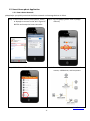
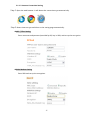
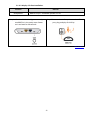
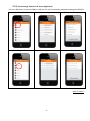
Step 1. After the Wi-Fi AP Bridge connected, put
one BRE71n at the gate. Power on it and
wait for 30 seconds.
Step 2. Connect the webcam on the USB port,
plug and play for instant remote
monitoring.
Step 3. After the Wi-Fi AP Bridge connected, put the 2nd BRE71n in the master bedroom and
connect the webcam on the USB port. Power on and wait for 30 seconds.
Step 4. After the Wi-Fi AP Bridge connected, put the 3rd BRE71n in the children’s bedroom and
connect the webcam on the USB port. Power on and wait for 30 seconds.
Step 5. After the Wi-Fi AP Bridge connected, put the last BRE71n in the guest room and connect the
webcam on the USB port. Power on and wait for 30 seconds.
- Back To Menu -
21