1
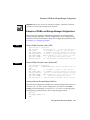
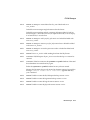
Using the onstat -g bus_sm Option
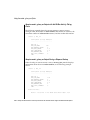
Sample onstat -g bus_sm Output with No ON-Bar Activity Taking
Place
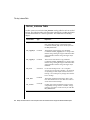
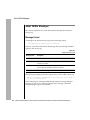
The following example shows the storage-manager version, storagemanager name, the number of onbar-workers, the number of coservers, the
maximum number of onbar-workers started, and the ON-Bar idle timeout:
onstat -g bus_sm
Configured storage managers
--------------------------BAR_SM 1
BAR_SM_NAME
BAR_WORKER_COSVR
BAR_DBS_COSVR
BAR_LOG_COSVR
BAR_WORKER_MAX
BAR_IDLE_TIMEOUT
END
ism
1
1,2
1,2
1
5
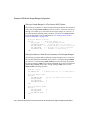
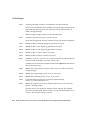
Sample onstat -g bus_sm Output During a Dbspace Backup
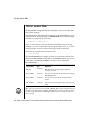
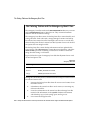
When a backup or restore session is active, onstat -g bus_sm also displays
information about the active onbar-workers, as the following example
shows:
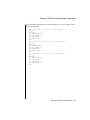
onstat -g bus_sm
Configured storage managers
--------------------------BAR_SM 1
BAR_SM_NAME
BAR_WORKER_COSVR
BAR_DBS_COSVR
BAR_LOG_COSVR
BAR_WORKER_MAX
BAR_IDLE_TIMEOUT
END
ism
1
1,2
1,2
1
5
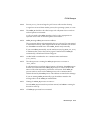
Active workers:
Worker 2 Coserver 1 Pid 4590 State BUSY "dbsl.2.0"
3-24
Backup and Restore Guide for Informix Dynamic Server with Advanced Decision Support and Extended Parallel Options