1
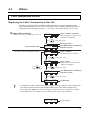
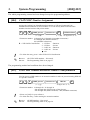
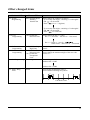
Special Display Features
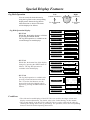
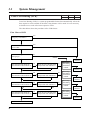
■ KX-T7436
– Using the Function button –
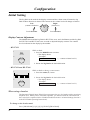
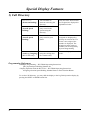
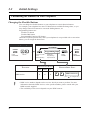
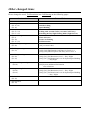
Initial display
1 Jan
15:00
Extension
STA Speed
Features
SYS Speed
Call Log
RING
BGM
CONT
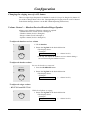
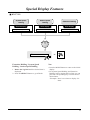
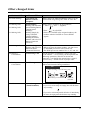
Extension
Dialling
→Ronald
Zaydel
Adam
Alice
Ann Parker
MENU
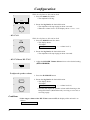
<Example>
To select 111;
1234567890
111
0987654
000111222333
100200300400500
CLR
MENU
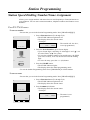
Ann Parker
Beth
→Bob Jones
Carol
Chris
MENU
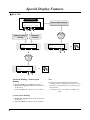
System Speed
Dialling
Call Log, Outgoing
CALL
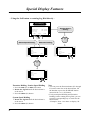
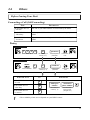
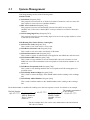
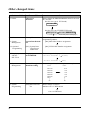
1. Press the Extension (F3), STA Speed
(F8) or SYS Speed (F9) button.
2. Rotate the Jog Dial until the desired item is
at the arrow.
3. Press the CALL (S3) button.
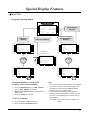
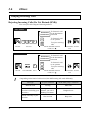
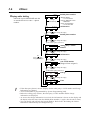
Call Log, Outgoing
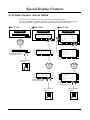
1. Press the Call Log (F5) button.
2. Press the desired Function button.
→Ronald
Zaydel
Adam
Alice
Ann Parker
MENU
CALL
Ann Parker
Beth
→Bob Jones
Carol
Chris
MENU
CALL
NEXT
CALL
Extension Dialling / System Speed
Dialling / Station Speed Dialling
Station Speed
Dialling
Note
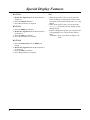
• You can press the Function button (F1 through
F5) on the same line of the desired item, lift
the handset or press the SP-PHONE button
instead of the CALL (S3) button.
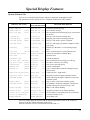
• For System Speed Dialling and Extension
Dialling, before rotating the Jog Dial, you can
press the corresponding key to search for the
desired letter.
<Example> Press 2 two times to display “B”
items.
25