1
Contents
1
Preface.................................................................................. 6
1.1
Included ........................................................................................... 7
1.2
Transport .......................................................................................... 7
2
Getting to know your Harmony One .................................. 8
2.1
How the Harmony One works ......................................................... 8
2.2
Activities, Devices and Inputs ......................................................... 8
2.3
The buttons on the Harmony One.................................................... 9
2.4
Displays of the Harmony One ....................................................... 10
2.4.1
Activities ........................................................................... 10
2.4.2
Commands common to the current Activity ...................... 10
2.4.3
Devices .............................................................................. 10
2.4.4
Favourite Channels .......................................................... 11
2.4.5
Options .............................................................................. 11
2.4.6
Status icons ....................................................................... 11
3
Using the Harmony One ................................................... 12
3.1
Menus on the touch screen ............................................................ 12
3.2
Selecting an Activity...................................................................... 12
3.3
Switching between Activities ........................................................ 12
3.4
Turning off your devices ............................................................... 12
3.5
Using the Help button .................................................................... 13
3.6
Using your Favourite Channels ..................................................... 14
3.7
Controlling devices individually.................................................... 14
3.8
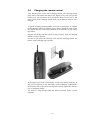
Charging the remote control .......................................................... 15
3.9
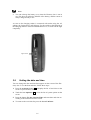
Setting the date and time................................................................ 16
4
Setting up the Harmony One ............................................ 17
4.1
Installing the Harmony Remote Software ..................................... 17
4.2
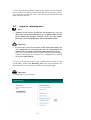
Login for returning user ................................................................. 18
4.3
Connecting the Harmony One to your computer........................... 19
4.4
Update your login information ...................................................... 20
3