1
Contents
1
Introduction
2
2.1
2.2
2.3
3
3.1
3.2
3.3
4
Getting Started
Achieving the Best Performance
Safety Instructions
Recycling Kramer Products
Overview
Using Twisted Pair Cable for HDBT
Shielded Twisted Pair (STP) / Unshielded Twisted Pair (UTP)
Defining the VP-553 Presentation Switcher/Scaler
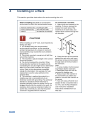
Installing in a Rack
1
2
2
3
3
4
6
6
6
10
5
5.1
Connecting the VP-553
Connecting the Balanced Stereo Audio Input and Outputs
11
14
6
6.1
6.2
6.3
6.4
6.5
Controlling the VP-553
Controlling via the Front Panel Buttons
Using the OSD Menu
Connecting to the VP-553 via RS-232
Operating via Ethernet
Controlling via the Infrared Remote Control Transmitter
15
15
16
23
23
27
7
7.1
7.2
7.3
7.4
7.5
7.6
7.7
7.8
7.9
Using the Embedded Web Pages
Browsing the VP-553 Web Pages
The Switching Page
The Scaler Page
The Device Settings Page
The USB Routing Page
The Audio Settings Page
The EDID Page
The Authentication Page
The About Page
28
29
30
33
35
37
38
41
43
44
8
8.1
8.2
9
9.1
9.2
9.3
Technical Specifications
Default Communication Parameters
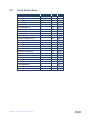
Input Resolutions
The VP-553 RS-232 Communication Protocol
Kramer Protocol 3000 Syntax
Kramer Protocol 3000 – Command List
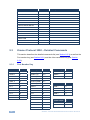
Kramer Protocol 3000 – Detailed Commands
45
46
47
48
48
51
52
Figures
Figure 1: VP-553 Presentation Switcher/Scaler Front Panel
Figure 2: VP-553 Presentation Switcher/Scaler Rear Panel
Figure 3: Connecting the VP-553 Presentation Switcher / Scaler
Figure 4: Balanced Stereo Audio Connection
Figure 5: Unbalanced Stereo Audio Output Connection
Figure 6: Unbalanced Stereo Audio Input Connection
Figure 7: HDBT IR transmission Example
Figure 8: Local Area Connection Properties Window
Figure 9: Internet Protocol Version 4 Properties Window
7
8
13
14
14
14
17
24
25
VP-553 – Contents
i