1
46
P2PP version 3 User Manual
Doc. No. VLT-MAN-ESO-19200-5167
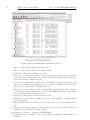
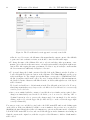
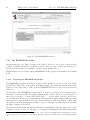
To check-in the revised OBs belonging to a container back to the Database, please select the container
in your P2PP main GUI window and then Check-In option from the File menu.
Please note that, as mentioned above, OBs that have editable status (i.e. status ”D”, or ”-”, see
Sect. 6.3.2) are removed from the ESO Database at the time of checking them out. In case of accidental
deletion of a checked-out OB from your Local Cache, the OB is thus lost.
6.3.2
OB status
The OB status is a flag assigned to each OB that describes the stage of its lifetime in which it is.
There are a variety of OB status flags, only a subset of which are of interest to the general user:
• Status ’P’ (partially defined): this is the initial OB status that is assigned to the OB, and is
maintained as long as it is not submitted to the ESO Database.
• Status ’D’ (defined): an OB is considered to be fully defined, and its status changes automatically to D, as soon as it reaches the ESO Database. In the ESO Database an OB keeps the
status D until a support astronomer starts reviewing it. OBs with status D can still be checked
out and then edited by the user who submitted them.
• Status ’+’ (accepted): the support astronomer changes that status to ’+’ once the OB has
been reviewed and certified as valid. OBs marked as ’+’ cannot be checked out for editing and
revision.
• Status ’-’ (rejected): the support astronomer sets the status to ’-’ when an OB presents any
problems preventing their certification. OBs with status ’-’ need to be checked out by the user
for modifications or repair. If OB with status ’-’ belongs to a scheduling container, the whole
scheduling container must be checked-out; however, only those OBs within the container with
’D’ or ’-’ status can be edited.
• Status ’C’ (Completed): the OB status is set to C when the OB has been completed within
specifications and thus will not be repeated. OBs with status C cannot be checked out.
• Status ’M’ (Must be repeated): this status is set when the OB has been executed but outside
the specified constraints. This OB will be re-inserted in the Service Mode queue to be executed
at a later time. OBs with status M cannot be checked out.
• Status ’A’ (Aborted): this status is set when an OB is aborted during execution. This OB
will be re-inserted in the Service Mode queue to be executed at a later time. OBs with status
A cannot be checked out.
• Status ’F’ (Failed): this status is set when an OB containing absolute time widow(s) or being
part of a time-linked container, and having acquired the absolute time window due to execution
of the previous OB, expires; i.e. when its absolute time window(s) is(are) in the past. OBs
with status F cannot be checked out, and this status is irreversible.
• Status ’T’ (Terminated): this status is set by the support astronomer for the OBs that belong
to runs that have been Terminated at the end of the observing period because the run is not
eligible for carryover status. OBs with status T cannot be checked out, and this status is
irreversible.
Through the OB status, the DBB thus gives you a way to check the progress of your observing
run. Nevertheless, you will usually find more useful to check the Run Status Web pages through
the Run-Related Tasks on the User Portal in order to obtain the same information. Those pages
contain useful links to the ambient conditions data and other ancillary information unavailable from
the DBB.