1
8
Recording Audio 73
Connecting an External Microphone or External
Audio Input Source to the Camcorder 73
Using the Built-in Microphone or an External
Microphone Connected to the MIC
Terminal 73
Adjusting the Audio Level for the MIC Terminal 74
Using Audio Input from the XLR Terminals 76
Adjusting the Audio Level for the XLR
Terminals 77
Monitoring the Audio with Headphones 78
Color Bars/Audio Reference Signal 79
Recording Color Bars 79
Recording an Audio Reference Signal 79
Video Scopes 80
Displaying a Video Scope 80
Configuring the Waveform Monitor 80
Configuring the Edge Monitor 81
Reviewing a Recording 82
Pre-recording Mode 83
4. Customization 85
Assignable Buttons 85
Changing the Assigned Function 85
Using an Assignable Button 86
Custom Picture Settings 88
Selecting Custom Picture Files 88
Editing a Custom Picture File’s Settings 89
Resetting the current file’s settings to default
values 89
Renaming Custom Picture Files 89
Protecting Custom Picture Files 89
Transferring Custom Picture Files 90
Available Custom Picture Settings 91
Simplified Graphical Interface 96
Canon Log Gamma 97
Customizing Functions and Onscreen
Displays 98
Customizing Functions 98
Customizing Onscreen Displays 98
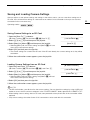
Saving and Loading Camera Settings 99
Saving Camera Settings to an SD Card 99
Loading Camera Settings from an SD Card 99
5. Playback 101
Playback 101
Clip Index Screen 101
Playing Back Clips 102
Onscreen Displays 103
Playback Controls 104
Adjusting the Volume 104
Clip Operations 106
Using the Clip Menu 106
Copying Clips 106
Deleting Clips 107
Converting Clips to Standard Definition 108
Deleting SD Movies 110
6. External Connections 111
Video Output Configuration 111
Connecting to an External Monitor 112
Connection Diagram 112
Using the HDMI OUT Terminal 112
Using the AV OUT Terminal 113
SD Output 113
Superimposing Onscreen Displays to Appear on
an External Monitor 114
Audio Output 115
Synchronizing the Video with the Audio being
Monitored 115
Selecting the Audio Channel 115
Selecting the Output Level of the AV OUT
Terminal 116
Saving Clips to a Computer 117
Connection Diagram 117
7. Photos 119
Taking Photos 119
Taking Photos in CAMERA Mode 119
Capturing Photos in MEDIA Mode 119
Photo Playback 121
Displaying the [Photos] Index Screen 121
Viewing Photos 121
Photo Operations 122
Using the Photo Menu 122
Copying Photos 122
Deleting Photos 123
Copying Custom Picture Files 125