1
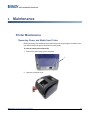
Printer Maintenance
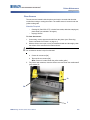
Replacing/Adjust Media End Caps
Clearing Jams
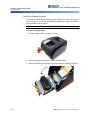
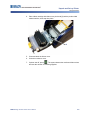
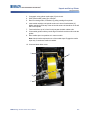
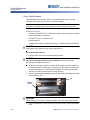
To clear jams from the printer:
1. Remove all damaged ribbon and/or media from the printer.
2. Check that there is no damage to the print head, tear-off bar, sensors, or any
other parts.
3. Check whether any cleaning is needed. If cleaning is required, see “Cleaning
the Printer” on page 4-3 for details.
4. Reload ribbon and media and clear all error messages.
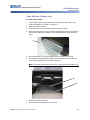
Remove Tearbar Ramp Cover (Tearbar only)
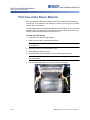
If media gets jammed, you may need to remove the tearbar ramp cover to correct
the jam.
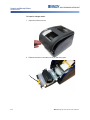
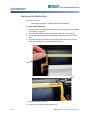
To remove the tearbar ramp cover:
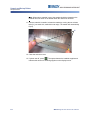
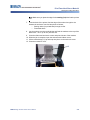
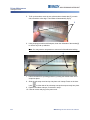
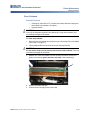
1. Lift and pull the ramp cover forward until it slides down the exit ramp. The
ramp cover should not be completely removed.
2. Clear the jam of any trapped media.
3. Slide the ramp cover back up into place until it snaps into place. Press your
finger/thumb on the finger icons to press the ramp into place.
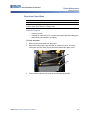
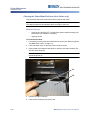
Replacing/Adjust Media End Caps
In the unlikely even that your tape roll comes apart, contact Tech Support for
assistance in replacing or adjusting the end caps. See “Technical Support and
Registration” on page xxii for details.
BBP®33 Sign & Label Printer User’s Manual
4-15