1
70Xi Cold Flow Properties Laboratory Analyzer
User Guide
ABOUT THIS GUIDE
This guide will help you become familiar with your Phase Technology 70Xi Cold Flow Properties Laboratory
Analyzer and its features. In the unlikely event you experience a problem, contact Phase Technology for
service and support.
TYPOGRAPHICAL CONVENTIONS
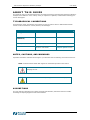
Throughout this guide, the following conventions are used to make it easier to differentiate between
names of various windows or screens, buttons, and messages:
Convention
Meaning
Example
Bold upper & lower case
Screen or window name
Control Panel
BOLD ALL UPPER CASE
(CAPITALS)
Buttons on the touch screen
RUN
“Text in parenthesis”
Message displayed on screen
“Run Count = xxx”
Text in bold blue italics
Refers to another chapter or
section in User Guide
please refer to the
Analyzer Options section
NOTES, CAUTIONS, AND WARNINGS
Important information and alerts are brought to your attention with the following conventions and icons:
NOTE: Indicates further details that support the information provided in the section.
CAUTION! Indicates situations that require attention to prevent
damaging the unit.
WARNING! Indicates necessary safety precautions to avoid injury.
ASSUMPTIONS
This user manual is designed to be used by chemists and laboratory technicians who have a basic
knowledge of sampling equipment and instrumentation.
4