1
Contents
Contents
1
2
3
4
5
5.1
5.2
Introduction
Getting Started
Overview
Your FC-20 SDI / DV Transcoder
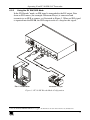
Connecting the FC-20 SDI / DV Transcoder
Powering the FC-20
MODE SELECT Dipswitch Settings
1
1
1
2
5
5
5
5.2.1
5.2.2
5.2.3
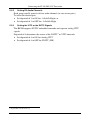
Setting the Audio Group
Setting DV Audio Channels
Setting the VITC or the DVITC Signals
5
6
6
6
6.1
Operating Your FC-20 SDI / DV Transcoder
Understanding the FC-20 LEDs
7
7
6.1.1
6.1.2
6.1.3
The POWER ON LED
The SDI IN LED
The DV DECODE LED
7
7
7
6.2
Understanding the DV DECODE / ENCODE MODES
7
6.2.1
6.2.2
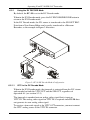
Using the DV DECODE Mode
Using the DV ENCODE Mode
8
9
7
Technical Specifications
10
Figures
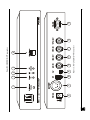
Figure 1: FC-20 SDI / DV Transcoder
Figure 2: FC-20 DV Decode Mode Configuration
Figure 3: FC-20 DV Encode Mode Configuration
3
8
9
Tables
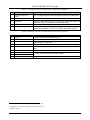
Table 1: Front Panel FC-20 SDI / DV Transcoder Features
Table 2: Rear Panel FC-20 SDI / DV Transcoder Features
Table 3: FC-20 Audio Group Dipswitch Settings
Table 4: Technical Specifications of the FC-20 SDI / DV Transcoder
4
4
5
10
i